ELM 327 OBD2 V21
OBD2 Car Diagnostic Tool ELM 327 ELM327 OBDII / OBD2 V2.1 Vehicle Diagnostic Scanner Tool Reader Works On Android
OBD2 Car Diagnostic Tool ELM 327 ELM327 OBDII / OBD2 V2.1 Vehicle Diagnostic Scanner Tool Reader Works On Android is a one of our ELM 327 OBD2 V21 Tools, you can buy OBD2 Car Diagnostic Tool ELM 327 ELM327 OBDII / OBD2 V2.1 Vehicle Diagnostic Scanner Tool Reader Works On Android from ukobd2.com.
Wholesale Top quality VAS6154, GM Tech2, VCM II For Ford, Handy Baby II Car Key Chip Copier, CDP DS150
images of OBD2 Car Diagnostic Tool ELM 327 ELM327 OBDII / OBD2 V2.1 Vehicle Diagnostic Scanner Tool Reader Works On Android
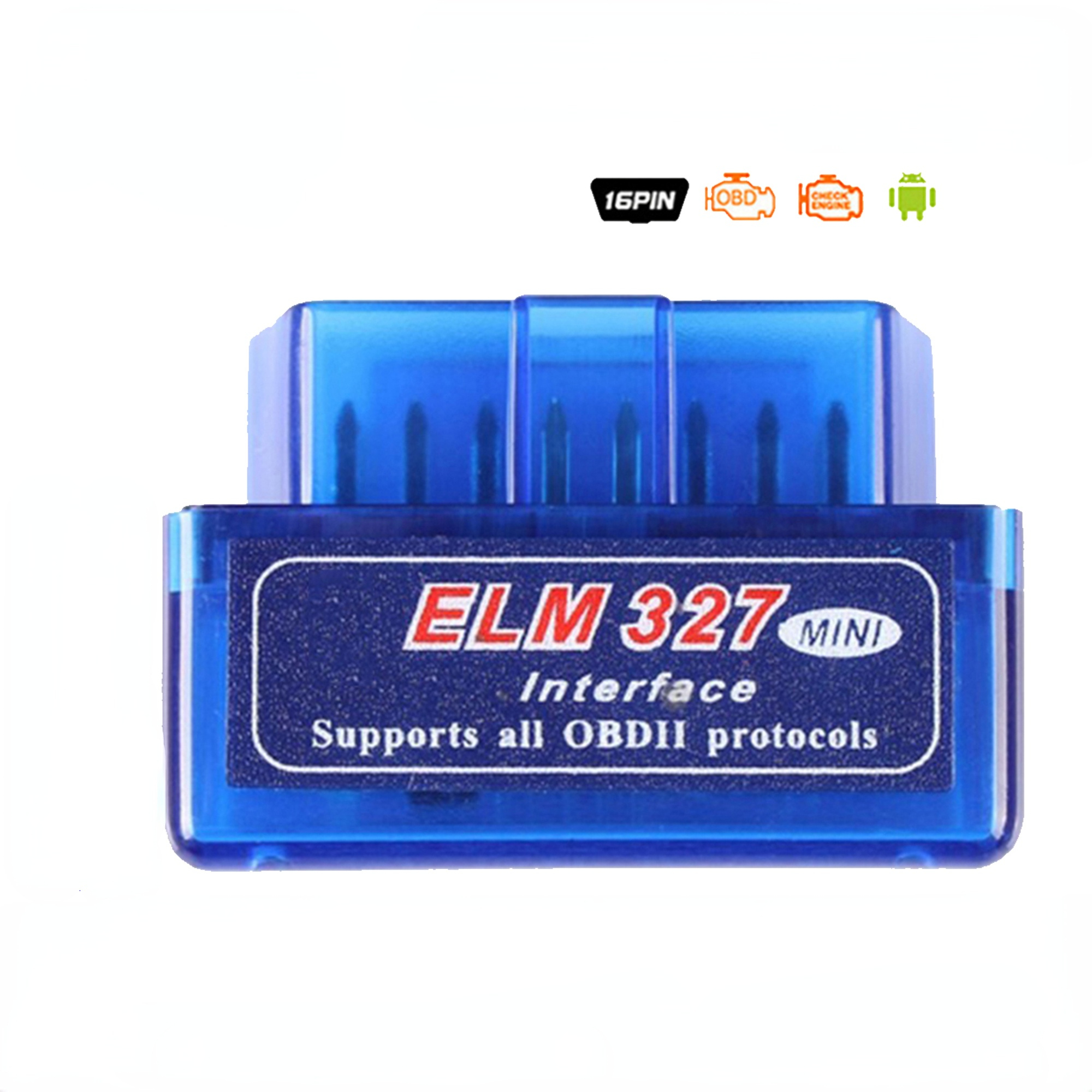
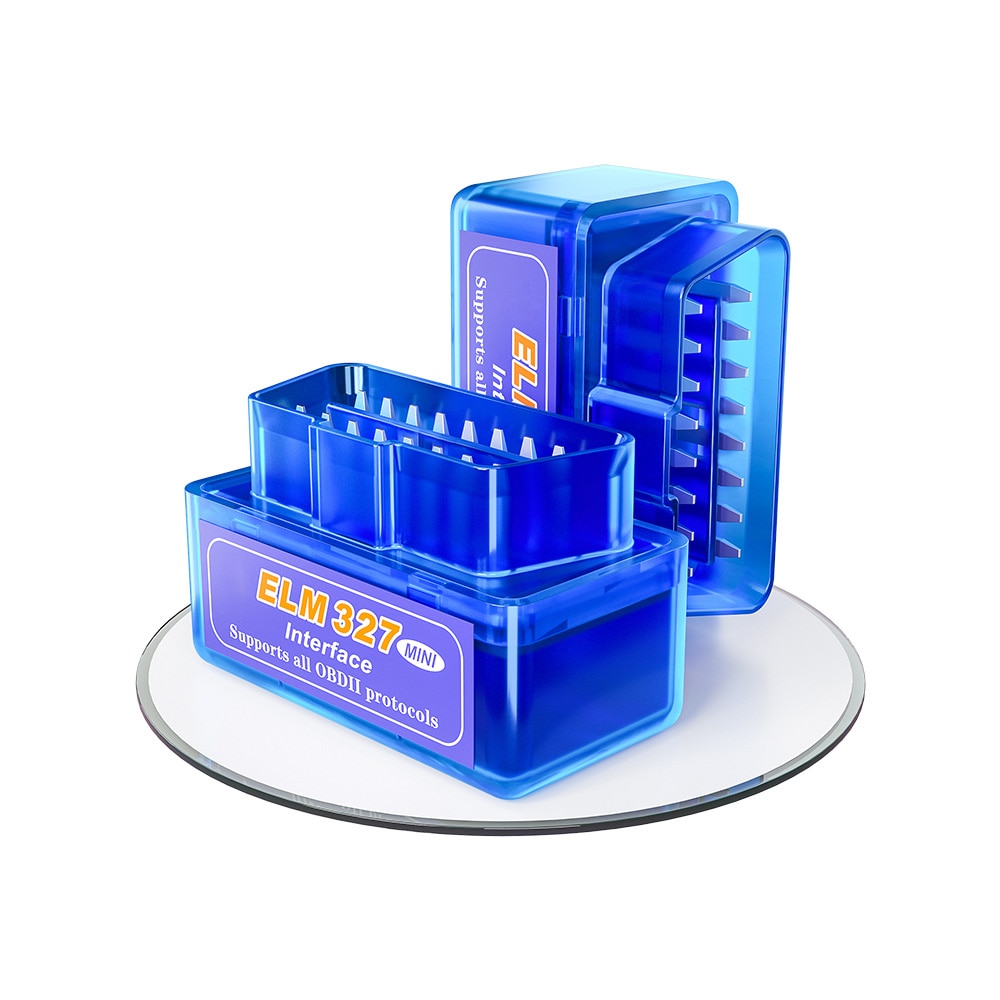
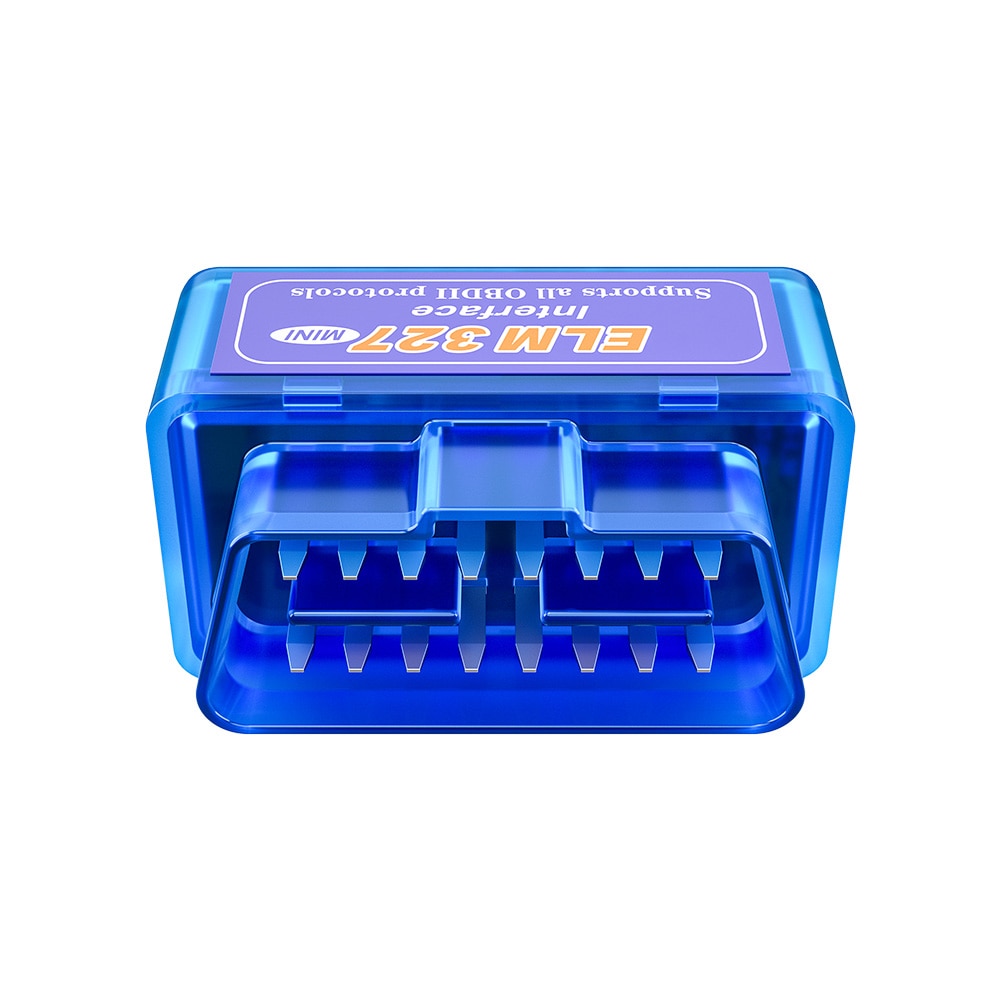
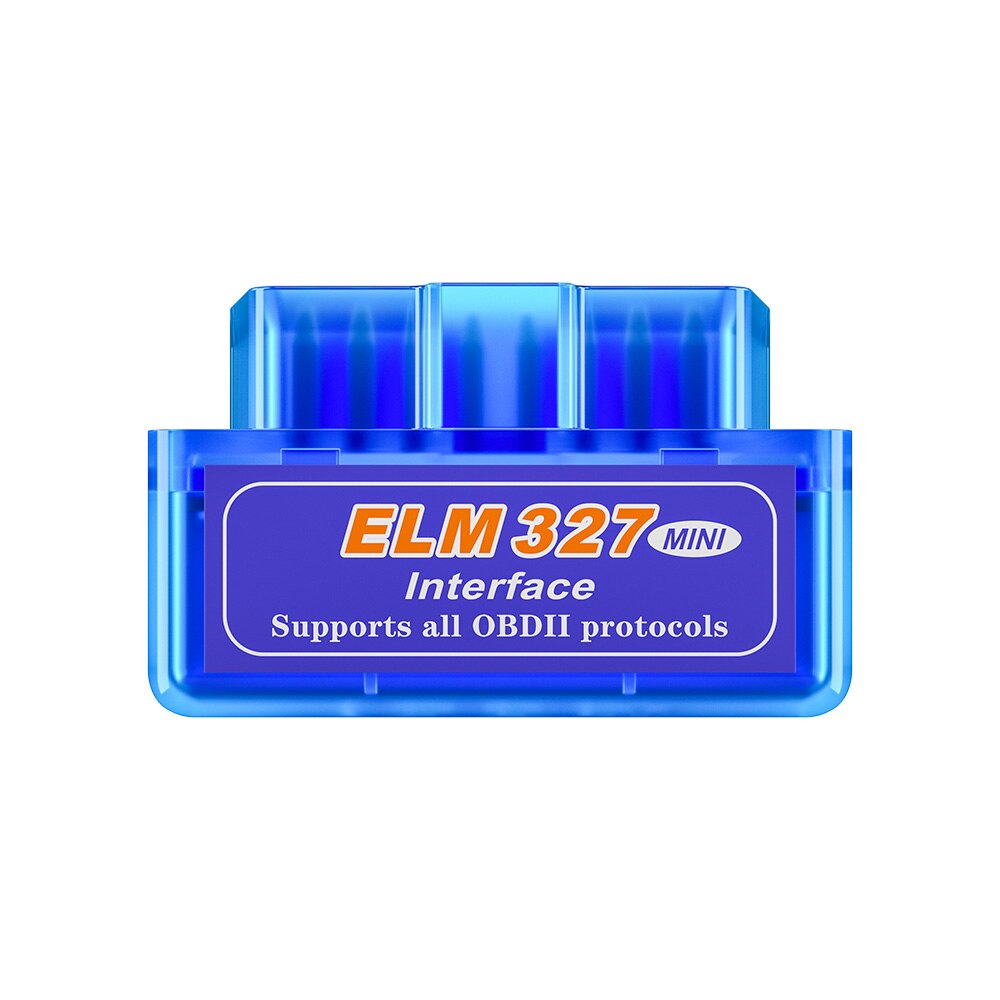
NOTE:
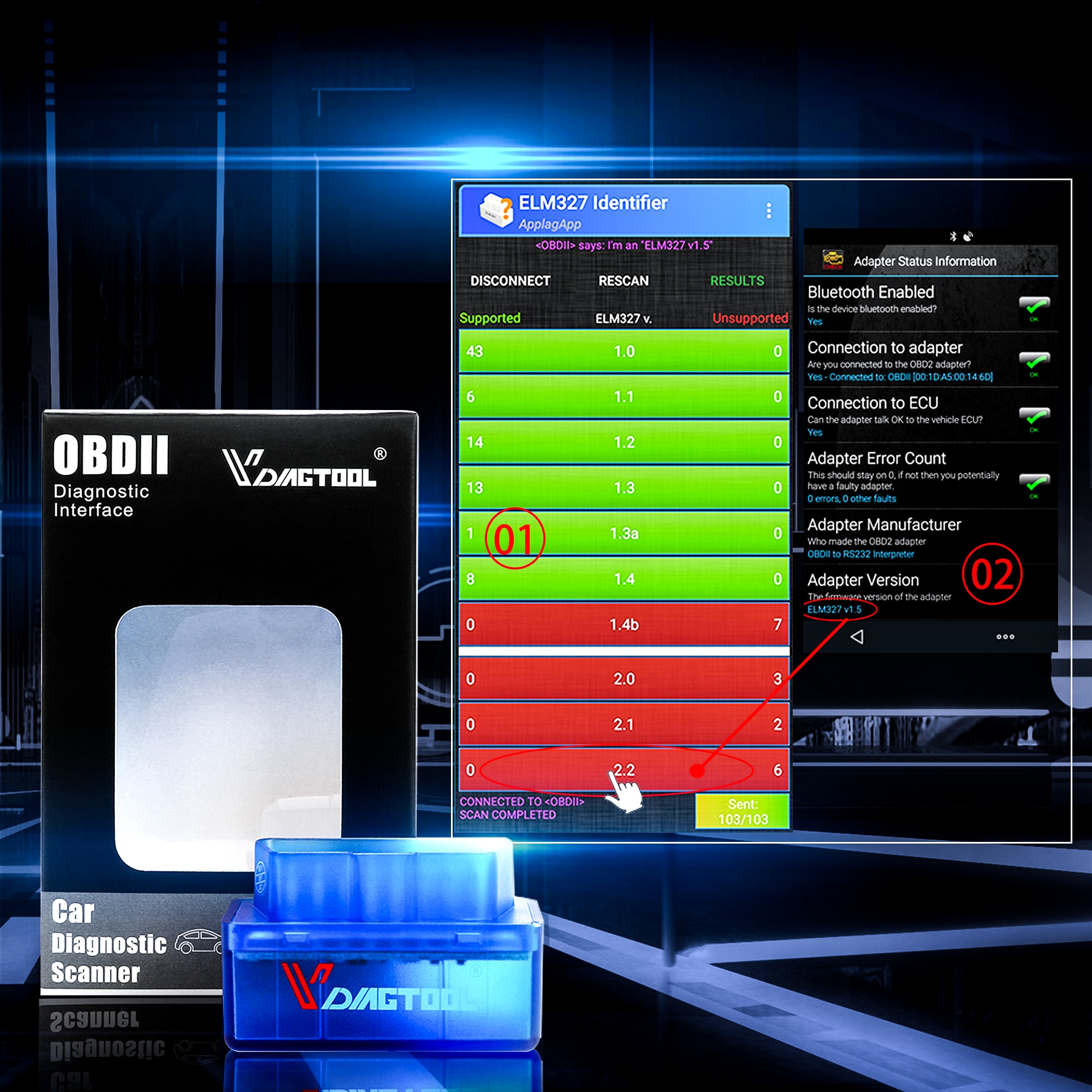
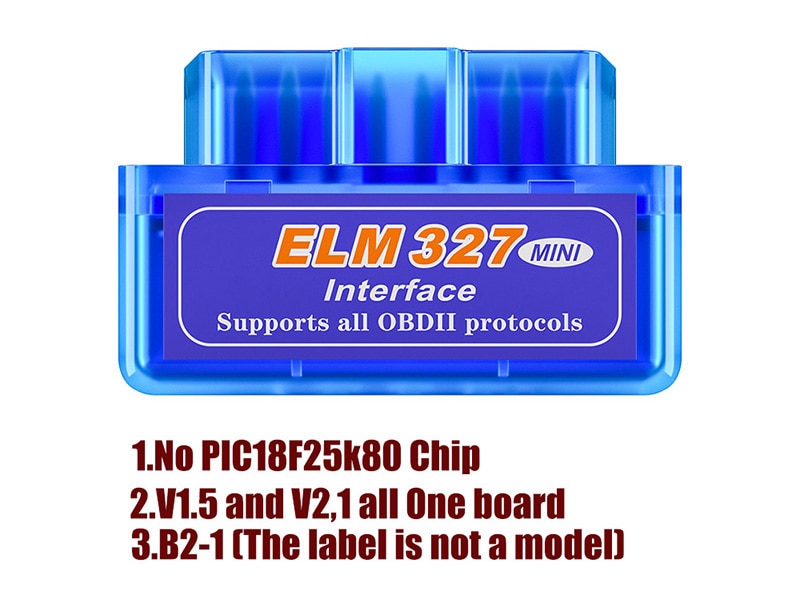
1. Our equipment software is v1.5 version, and our hardware is v2.2 version. Our equipment does NOT contain a PIC18F25K80 chip and has only 1 PCB. B2-1 is the label of the package, not the model.
2. If the goods don't work, please contact us directly. We believe we will solve the problem for you.
3. If you don't receive the parcel, please contact us and we will give you a refund directly.
Warm-Up Tips for Buyers
Since we have received feedback from some customers about our products recently, we have compiled the most frequently asked questions (FAQs) below. Please read them before purchasing—we believe this will help you make a better choice. If you still need assistance, please contact us; we can solve all problems for you!
Language Support Information
All of our ELM327 devices support 12 languages:
- If you use the ScanMaster software from our CD, you can choose from 12 languages.
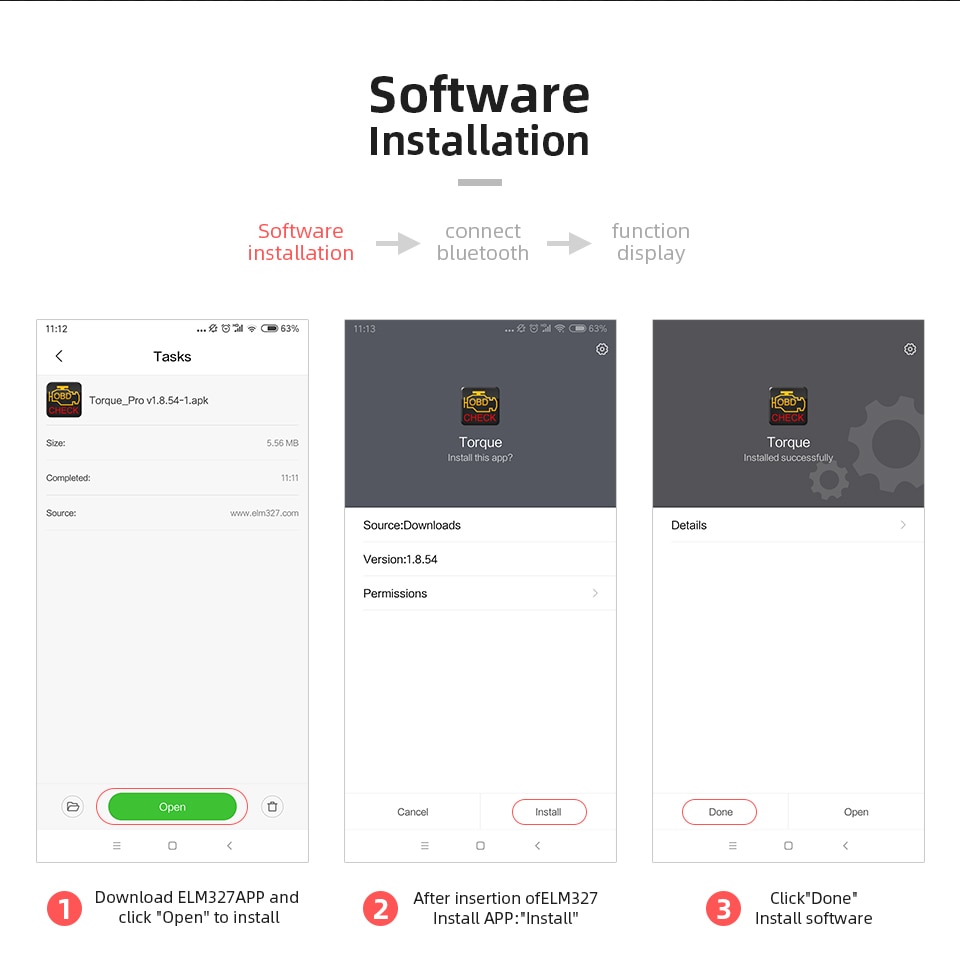
- If you use the Torque app, download it from your local phone app store to use your device’s native language.
- If you cannot find Torque in your app store, please use the software on our CD—it is available in English only.
Product Overview
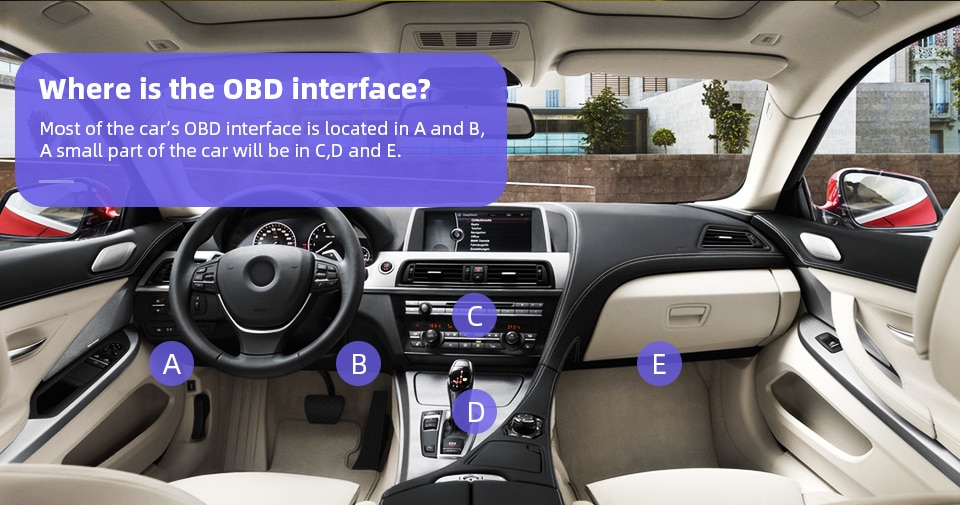
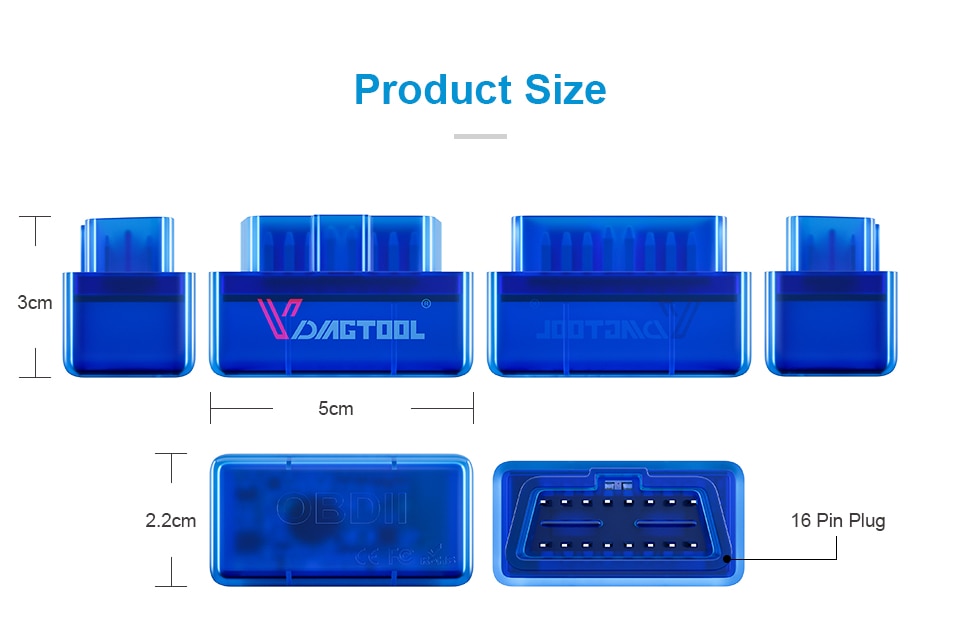
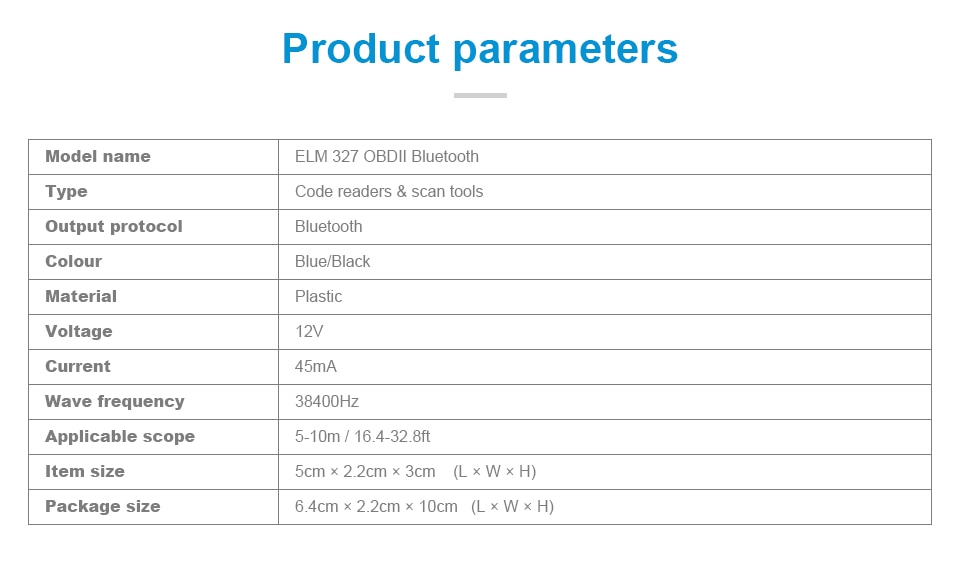
We offer a new mini OBD2 vehicle diagnostic tool with an exceptionally compact size and sleek design. Simply plug it into your car’s OBDII port, and it connects via Bluetooth to your smartphone, tablet, or computer. The device reads data from your car's on-board diagnostic system, detects ECU issues, and provides solutions—helping you avoid unnecessary trips to the repair shop.
Differences Between Firmware V1.5 and V2.1
OBD2 Code Reader Multi-Protocol Support
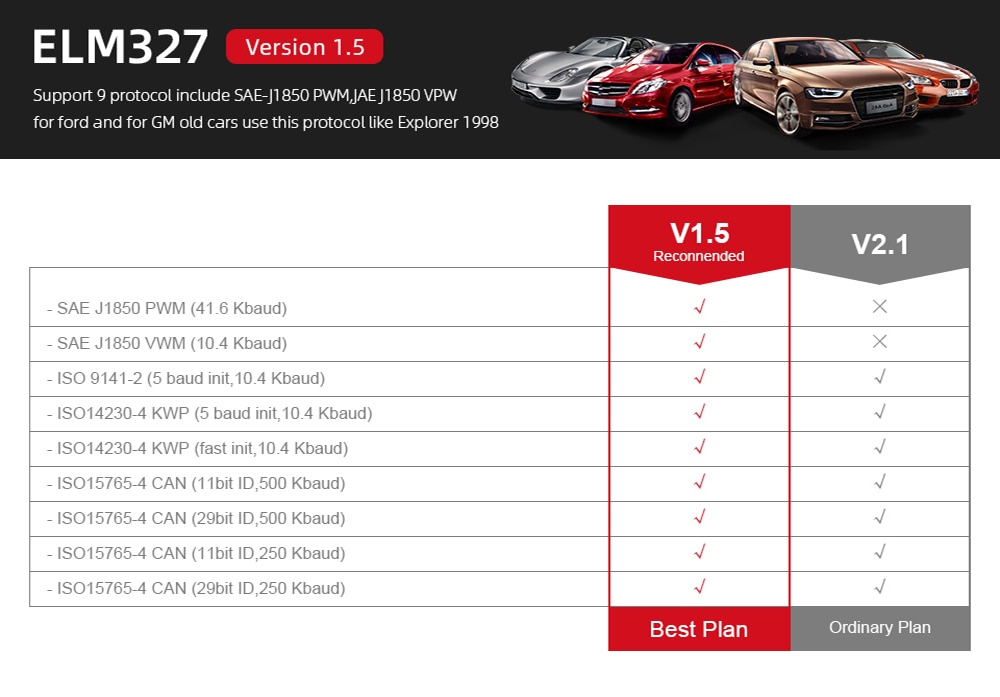
V2.1 Version Supports 7 Protocols:
- ISO9141-2 (5 baud init, 10.4 Kbaud)
- ISO14230-4 KWP (5 baud init, 10.4 Kbaud)
- ISO14230-4 KWP (fast init, 10.4 Kbaud)
- ISO15765-4 CAN (11-bit ID, 500 Kbaud)
- ISO15765-4 CAN (29-bit ID, 500 Kbaud)
- ISO15765-4 CAN (11-bit ID, 250 Kbaud)
- ISO15765-4 CAN (29-bit ID, 250 Kbaud)
A. SAE J1939 CAN (29-bit ID, 250* Kbaud)
B. USER1 CAN (11* bit ID, 125* Kbaud)
C. USER2 CAN (11* bit ID, 50* Kbaud)
V1.5 Version ELM327 Supports 9 Protocols:
- SAE J1850 PWM (41.6 Kbaud)
- SAE J1850 VPW (10.4 Kbaud)
- ISO9141-2 (5 baud init, 10.4 Kbaud)
- ISO14230-4 KWP (5 baud init, 10.4 Kbaud)
- ISO14230-4 KWP (fast init, 10.4 Kbaud)
- ISO15765-4 CAN (11-bit ID, 500 Kbaud)
- ISO15765-4 CAN (29-bit ID, 500 Kbaud)
- ISO15765-4 CAN (11-bit ID, 250 Kbaud)
- ISO15765-4 CAN (29-bit ID, 250 Kbaud)
A. SAE J1939 CAN (29-bit ID, 250* Kbaud)
B. USER1 CAN (11* bit ID, 125* Kbaud)
C. USER2 CAN (11* bit ID, 50* Kbaud) *default settings (user adjustable)
How to Verify Your Device Version
Please pay attention to how to operate it:
If you bought V1.5, we sent you v1.5.
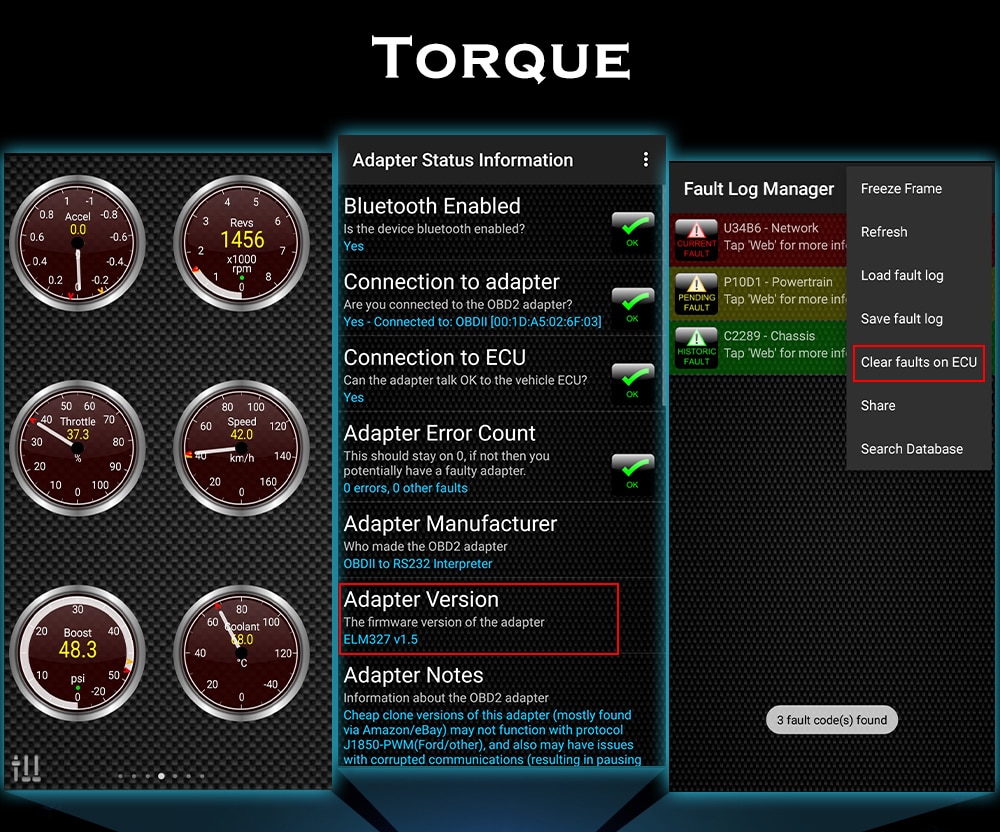
When you connect the vehicle, you will see that it is V1.5, as shown below:

Device Compatibility
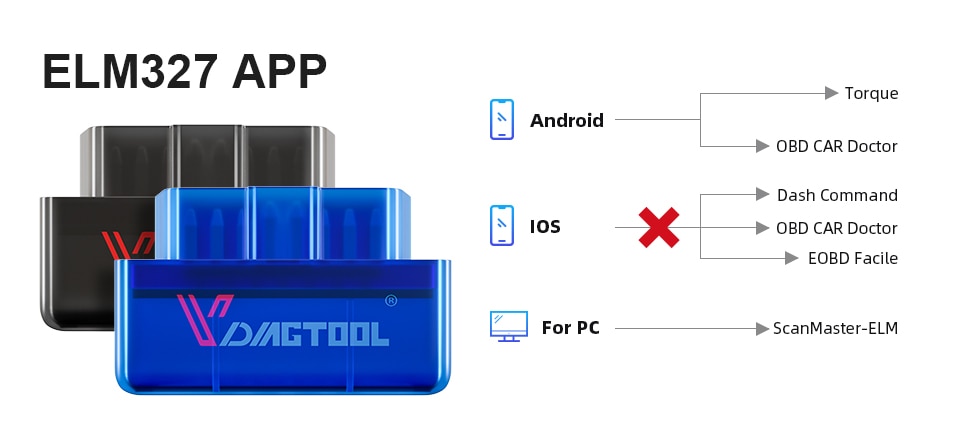
This ELM327 OBD2 Scanner Tool supports phones based on Android and Symbian systems, as well as Windows XP and Windows 7 (32-bit) computers, for testing OBD2-compliant vehicles. It is compact and convenient to use.
Supported OBD2 Protocol Vehicles
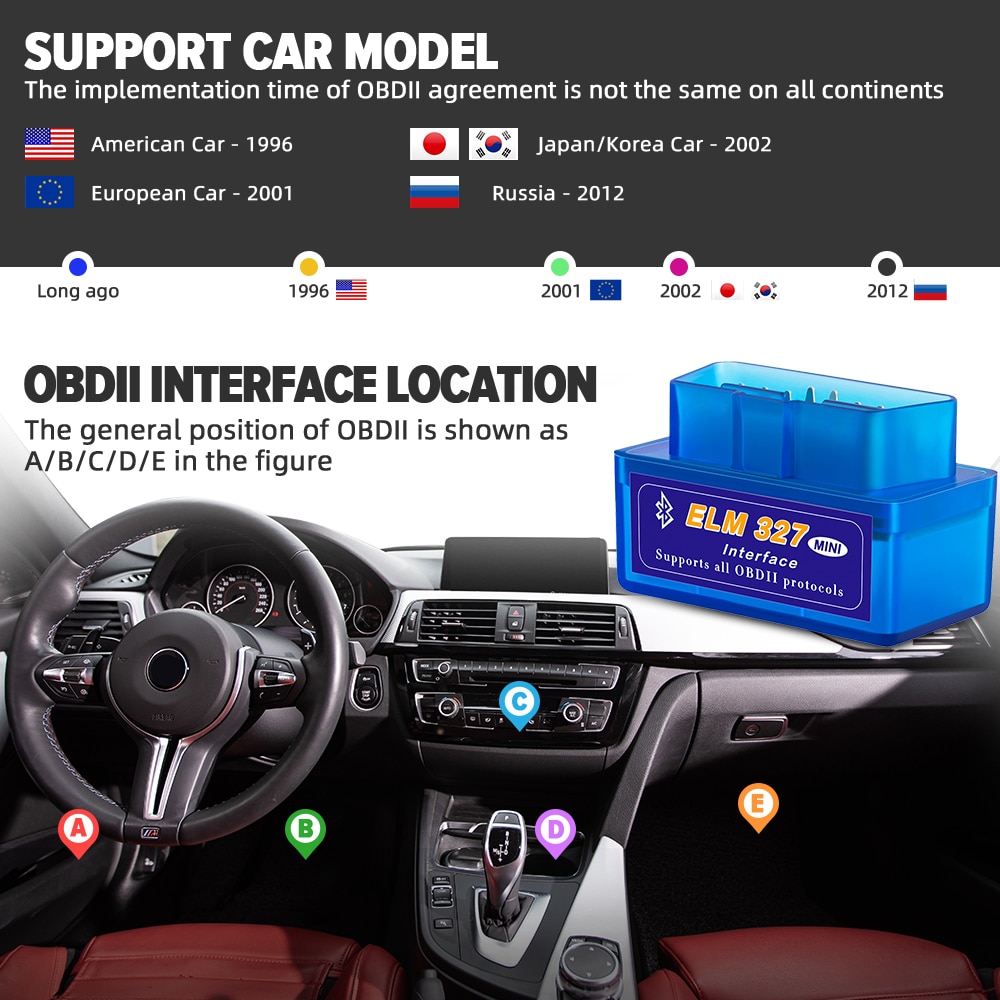
- USA cars after 1998: Chrysler, Ford, GM, Jeep, etc.
- European cars (2003–present):
Alfa Romeo, SAAB, Acura, Opel, Audi, Seat, Bentley, Skoda, Daewoo, Benz, Daihatsu, Land Rover, BMW, Vauxhall, Volvo, VW, Ford, Jaguar - French cars after 2008:
Citroën, Fiat, Renault, Peugeot
Not supported: Renault Clio 2, Megane, Dacia Logan - Japanese cars (2006–present):
KIA, Isuzu, Honda, Mitsubishi, Hyundai, Dacia, Lexus, Mazda, Nissan, Subaru, Suzuki, Toyota - Chinese cars (2009–present):
BYD, Chery, Geely, Great Wall, Karry - Russian cars after 2011
NOTE:
Although this device is compatible with most vehicles, regional differences in OBD2 protocol adoption and special vehicle designs may result in incompatibility with certain models—especially some Japanese and Korean brands. This device provides only standard OBD2 functions and does not support special features such as ABS reset or airbag reset.
Contact Us for Vehicle Compatibility
Please leave us a message in the following format, and we will reply within 8 hours:
Example: xx, 2005, 2.0cc, Diesel
NOTE:
- For SsangYong Actyon (2009–2017)
- For SsangYong Korando, 2.0 TD Diesel (2013–2017)
- For SsangYong Kyron, 2.0 Diesel (2010–2017)
- For SsangYong Rexton (2011–2017)
- Not supported: Opel Corsa C 2004 1.3 CDTI
- Not supported: VW Golf 4 2002
Key Functions
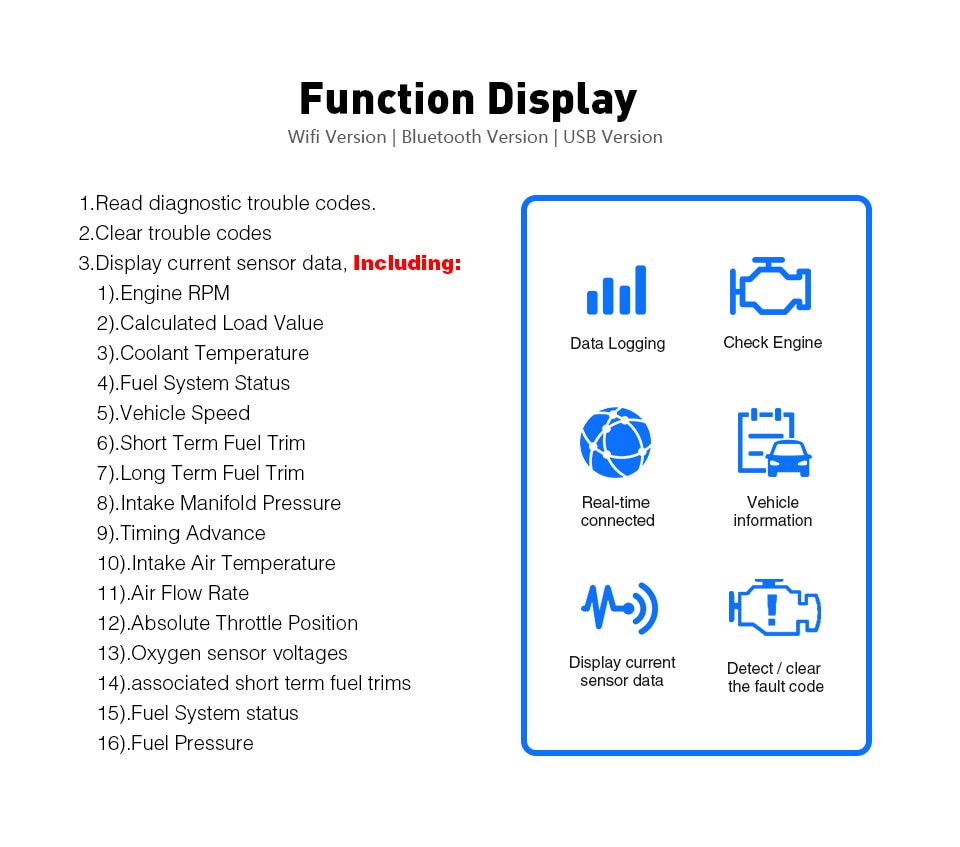
- Read diagnostic trouble codes—both generic and manufacturer-specific—and display their meanings (database includes over 3000 generic code definitions).
- Clear trouble codes and turn off the MIL ("Check Engine" light).
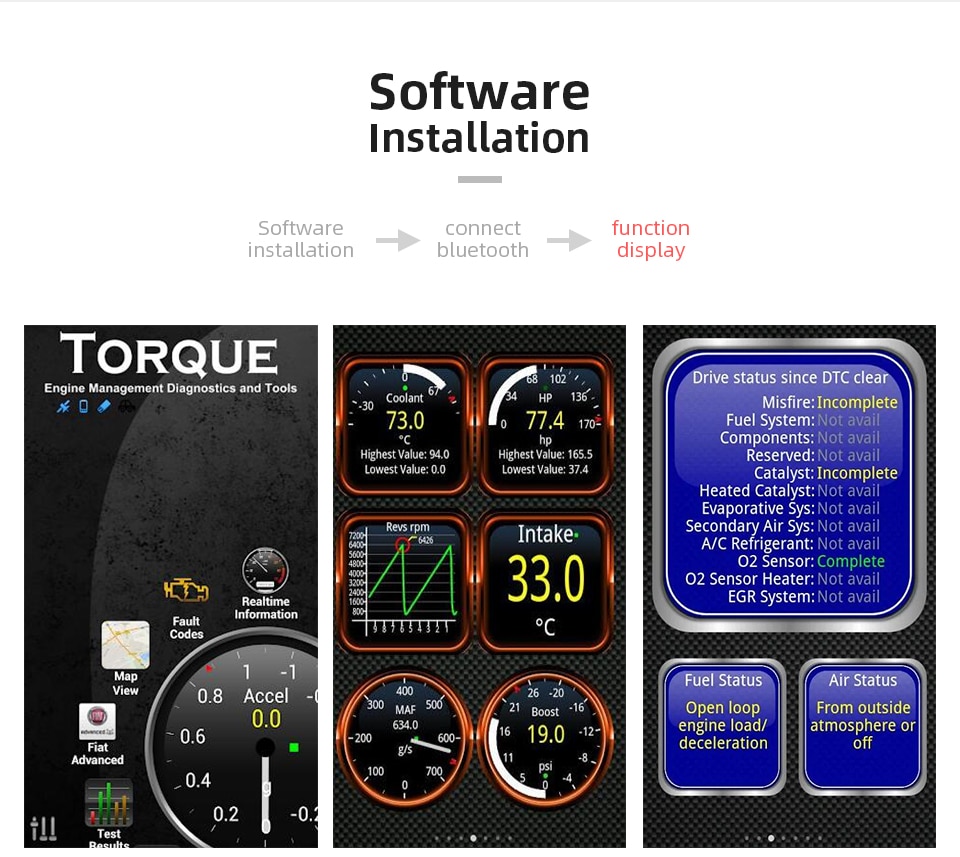
- Display current sensor data, including:
- Engine RPM
- Calculated Load Value
- Coolant Temperature
- Fuel System Status
- Vehicle Speed
- Short Term Fuel Trim
- Long Term Fuel Trim
- Intake Manifold Pressure
- Timing Advance
- Intake Air Temperature
- Air Flow Rate
- Absolute Throttle Position
- Oxygen sensor voltages / associated short term fuel trims
- Fuel System status
- Fuel Pressure
- Many others.
How to Connect
Android
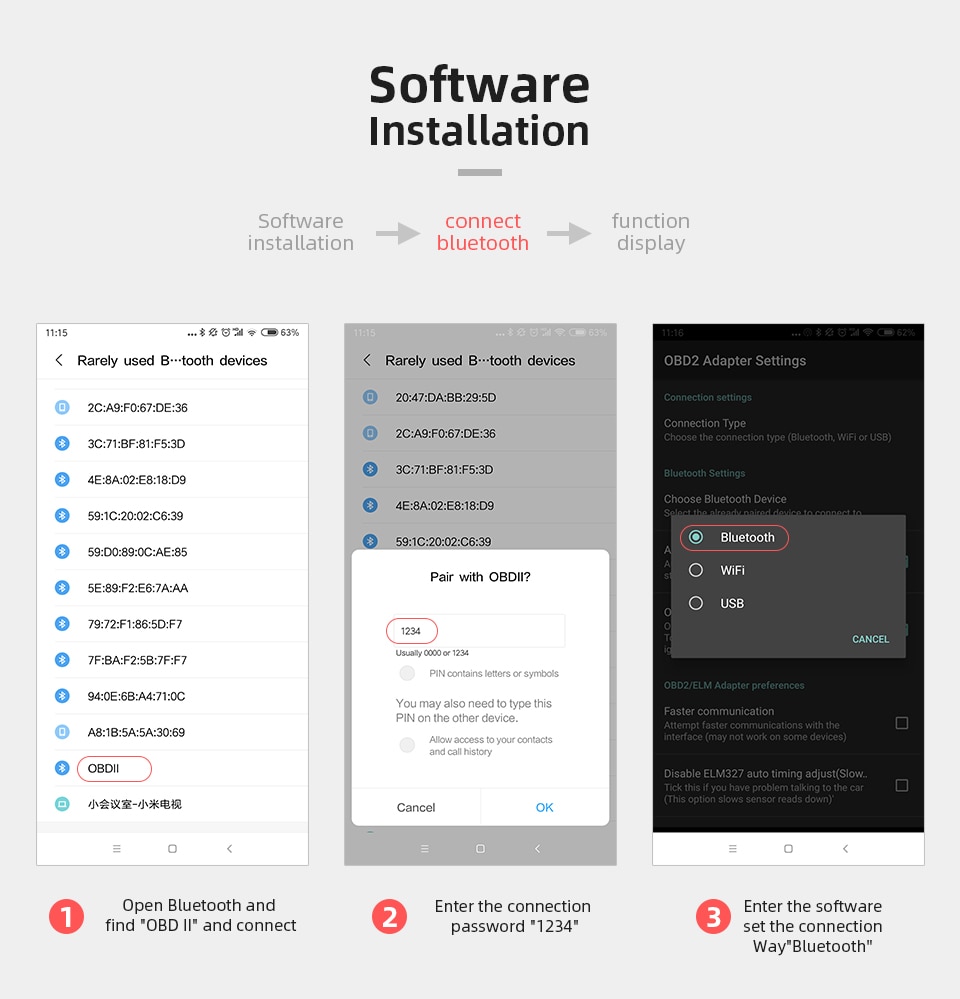
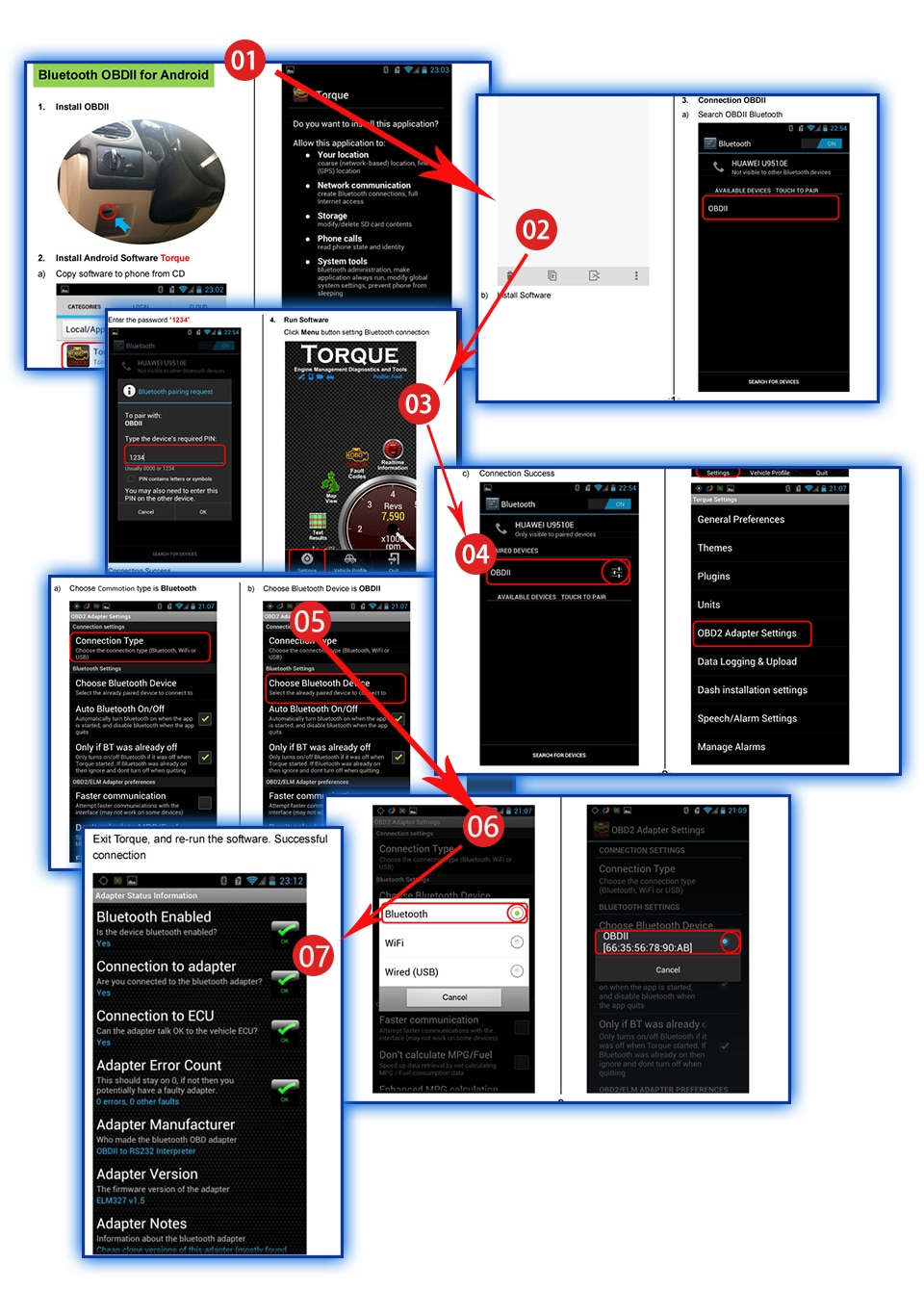
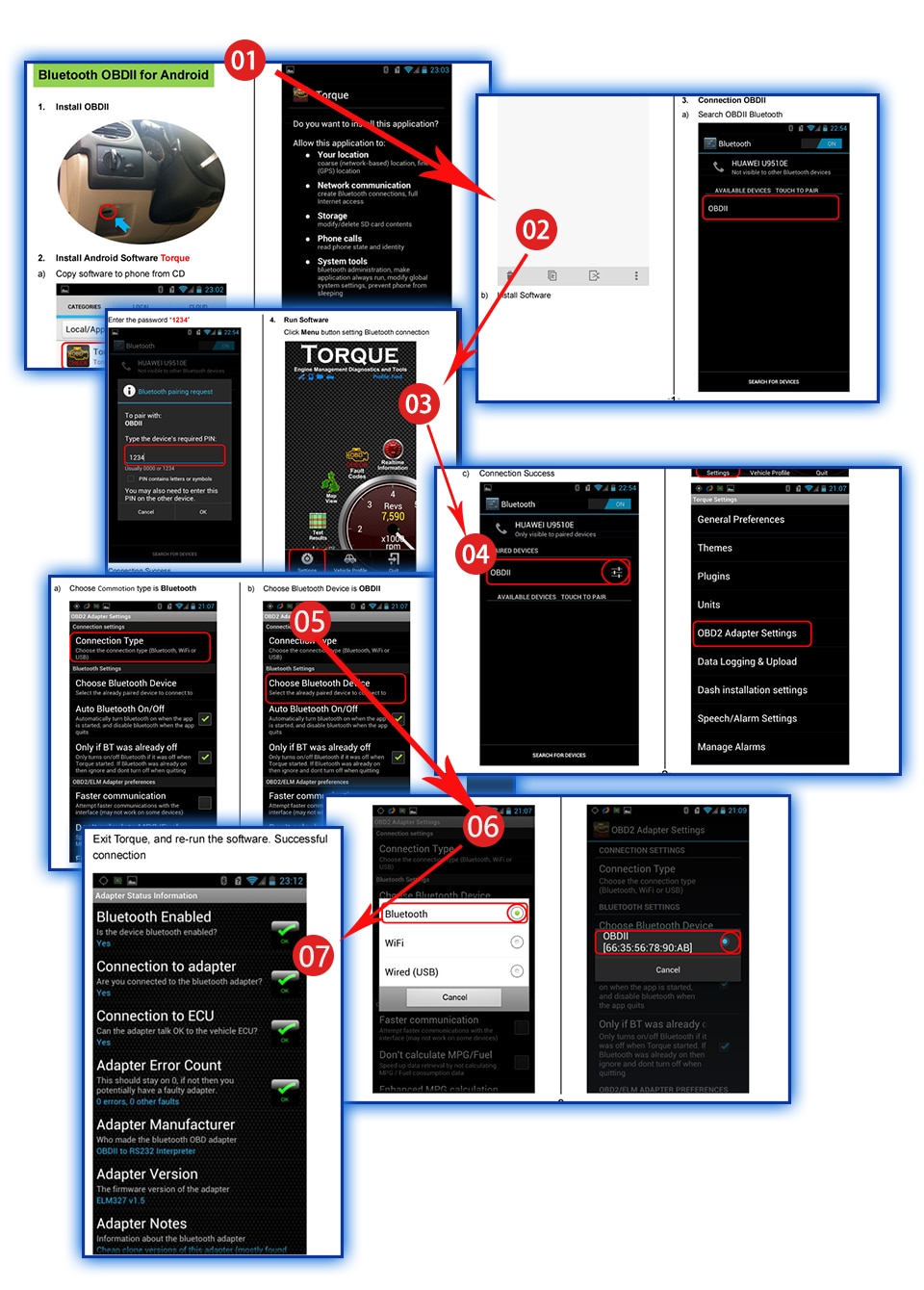
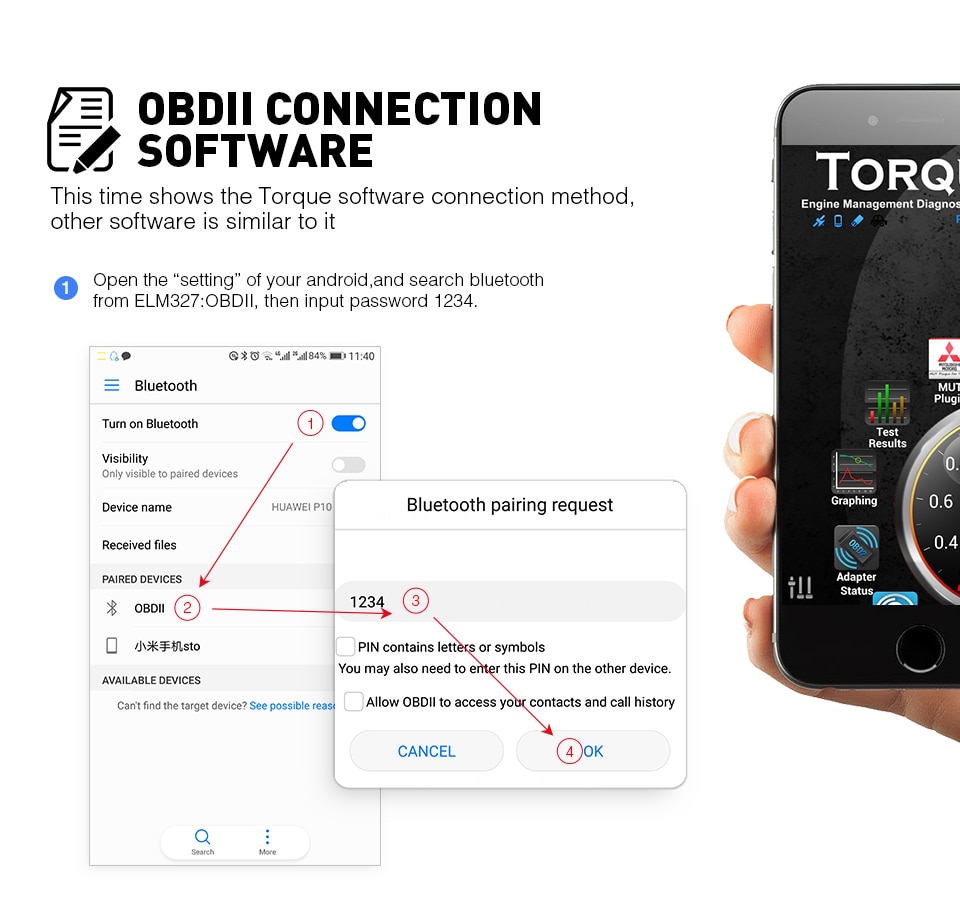
- Open "Settings" on your Android device and search under Bluetooth for "ELM327:OBDll".
- Enter password: 1234.
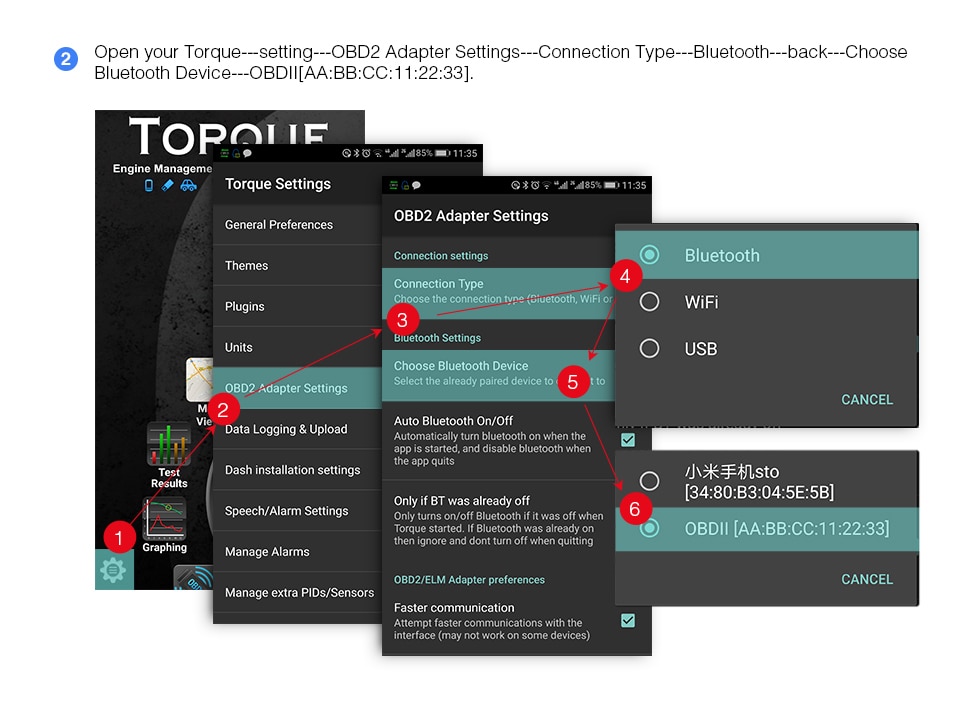
- Open your Torque app, go to Settings → OBD2 Adapter Settings → Connection Type → Bluetooth, then go back and select Bluetooth Device → OBDII [AA:BB:CC:11:22:33].
- You can then view and adjust settings and vehicle options.
Frequently Asked Questions (FAQ)
Important: Please review this section if you encounter any after-sales issues.
- Q: CD broken?
- A: If the CD is damaged upon receipt, don’t worry—you can download the software here: http://360diag.net/plus/list.php?tid=7
Still having problems? Contact us! - Q: Bluetooth cannot connect?
- A: Please check if you previously connected another ELM327 to your phone. If so, delete that pairing, turn Bluetooth off and on again, then search for and connect to your new ELM327.
Still can’t solve it? Contact us! - Q: Car models cannot work?
- A: If your connection is successful and everything appears correct but the device still doesn’t work with your car, first confirm whether your vehicle uses the OBD2 protocol. Note: V2.1 does not support SAE J1850 PWM or VPW protocols. If your car uses either of these, it won’t be compatible. If you’re unsure about compatibility, we recommend purchasing the V1.5 version—it is more stable and supports more protocols and car brands. Click the image below to go to the V1.5 product link.
- Q: What version is this V1.5 ELM327?
- A: Hardware V2.2, Software V1.5
- Q: How many languages does the CD software support?
- A: Czech, Danish, German, English, Spanish, French, Croatian, Hungarian, Italian, Polish, Serbian, Turkish
- Q: Does it support Russian language?
- A: Sorry, the CD software does not include Russian. However, if your Android phone is set to Russian, the Torque app will display in Russian.
- Q: Does it support Wi-Fi and iOS?
- A: No, it only supports Android via Bluetooth and Windows computers.
- Q: Is V1.5 better than V2.1?
- A: Yes. V1.5 is more stable than V2.1, and according to buyer feedback, it supports more protocols and car brands.
- Q: How can I know if this device works with my car?
Compatibility Note: This ELM327 works with most gasoline car brands and models, as well as some diesel vehicles. However, we cannot guarantee compatibility with your specific car, as we have not tested every vehicle. You may purchase one to test it yourself. (If you are unsure and do not wish to buy one for testing, please refrain from purchasing—we kindly ask to avoid negative feedback regarding unsupported vehicles. Thank you in advance!)
How to Run the Software on an Android Phone
Open your Android phone software → Settings → Connection Type → OBD2 Adapter Setting → BT → Choose BT Device → OBDII.
Do I Need to Delete Previous Pairing Information?
If your Android phone was previously connected to an older ELM327, please delete all old pairing information to ensure a successful connection with your new ELM327.
ELM327 OBD2 Scanner Installation Guide (for reference only):