MD806
Autel Maxidiag MD806 pro scanner is a Combination of Autel MaxiCheck Pro and the Autel Maxidiag Elite MD802. It is an excellent tool for car repair shop owners, professional mechanics, and DIYer enthusiasts.
Original Autel MaxiDiag MD806 Pro Full System Diagnostic Tool Same as Autel MD808 Pro Free Update Online Lifetime is a one of our MD806 Tools, you can buy Original Autel MaxiDiag MD806 Pro Full System Diagnostic Tool Same as Autel MD808 Pro Free Update Online Lifetime from ukobd2.com.
Wholesale Top quality VAS6154, GM Tech2, VCM II For Ford, Handy Baby II Car Key Chip Copier, CDP DS150
images of Original Autel MaxiDiag MD806 Pro Full System Diagnostic Tool Same as Autel MD808 Pro Free Update Online Lifetime
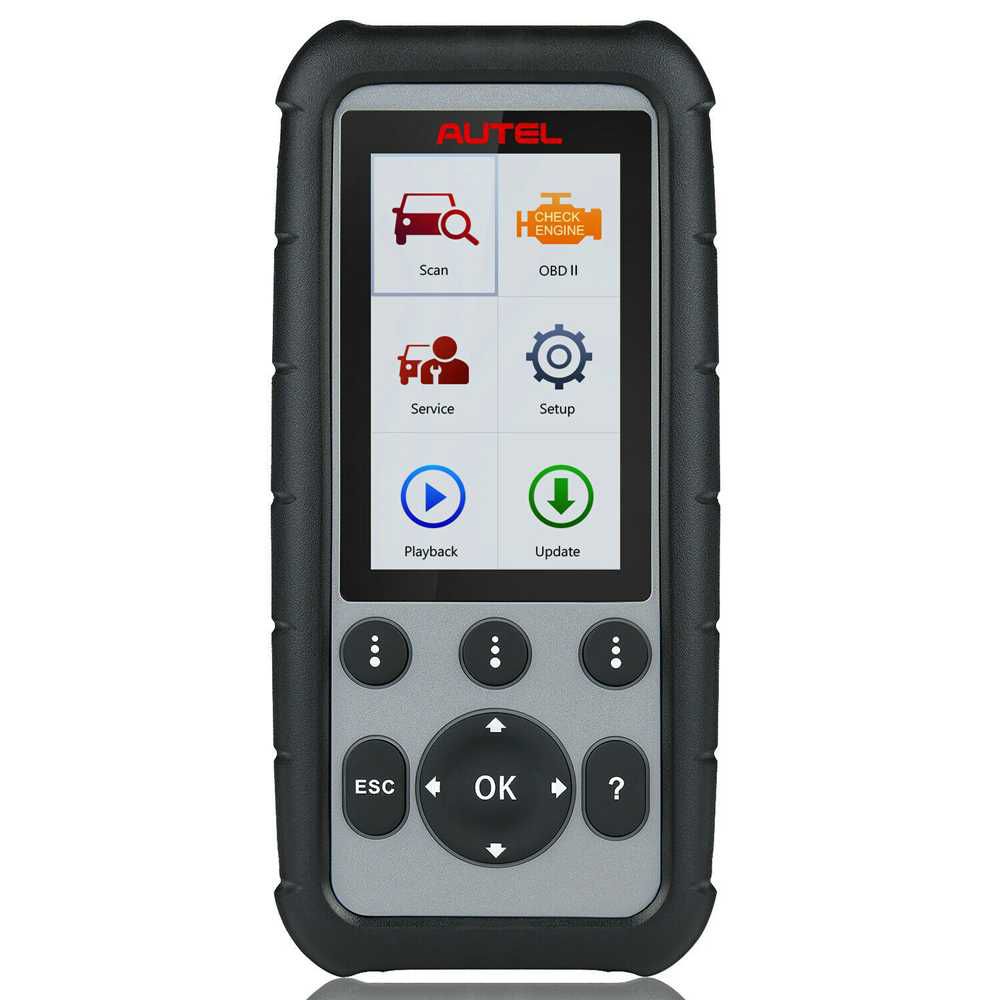
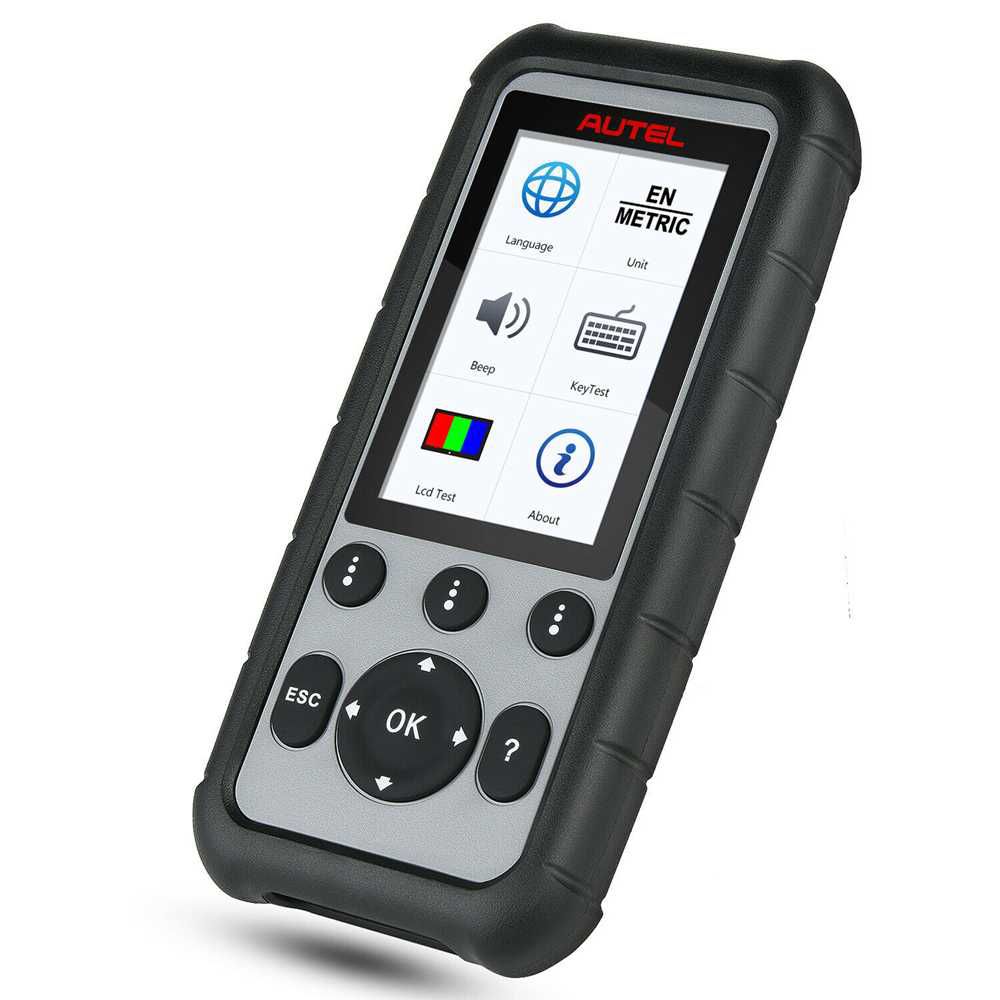
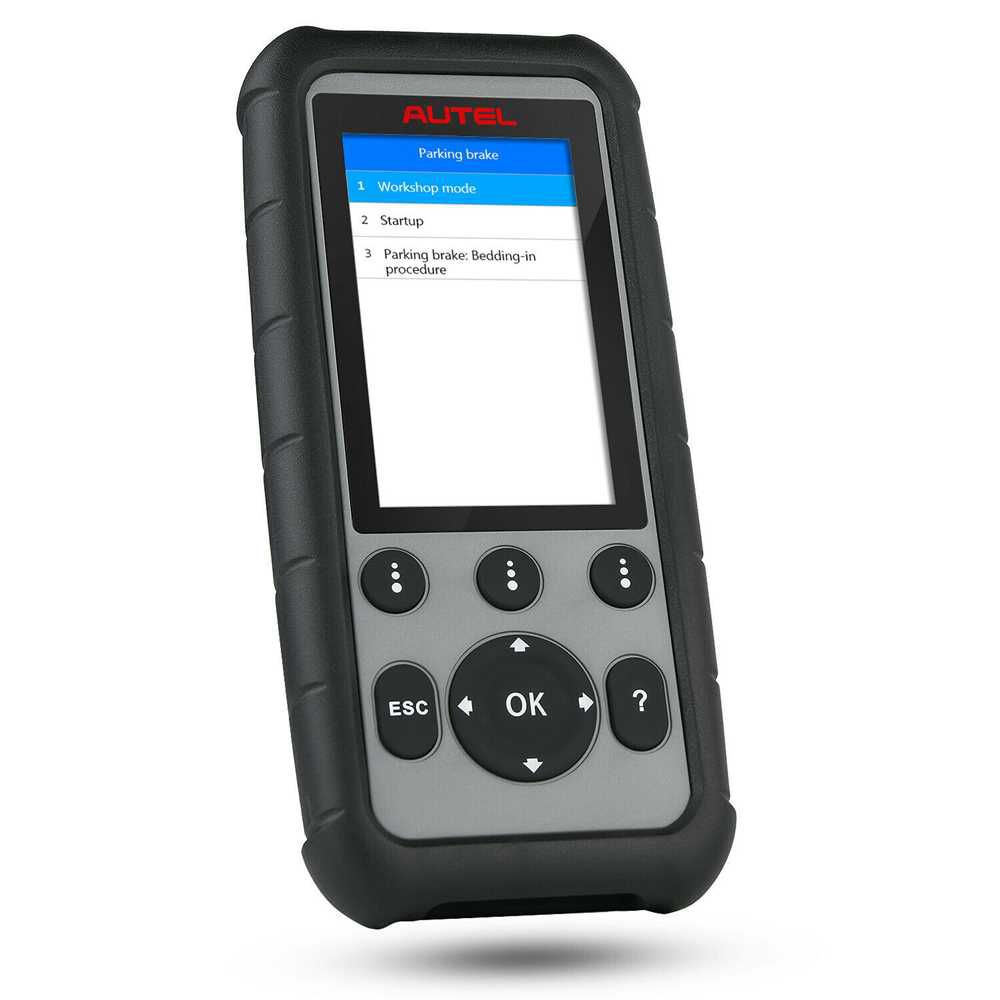
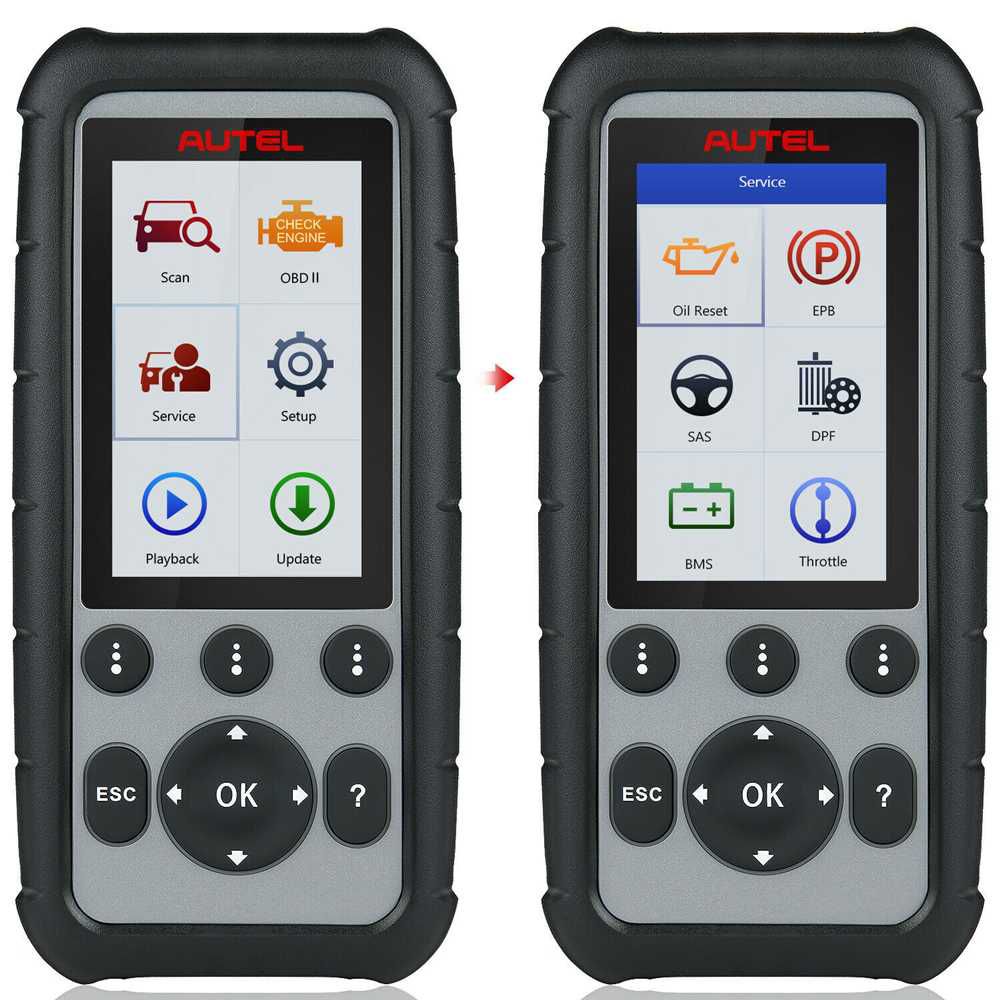
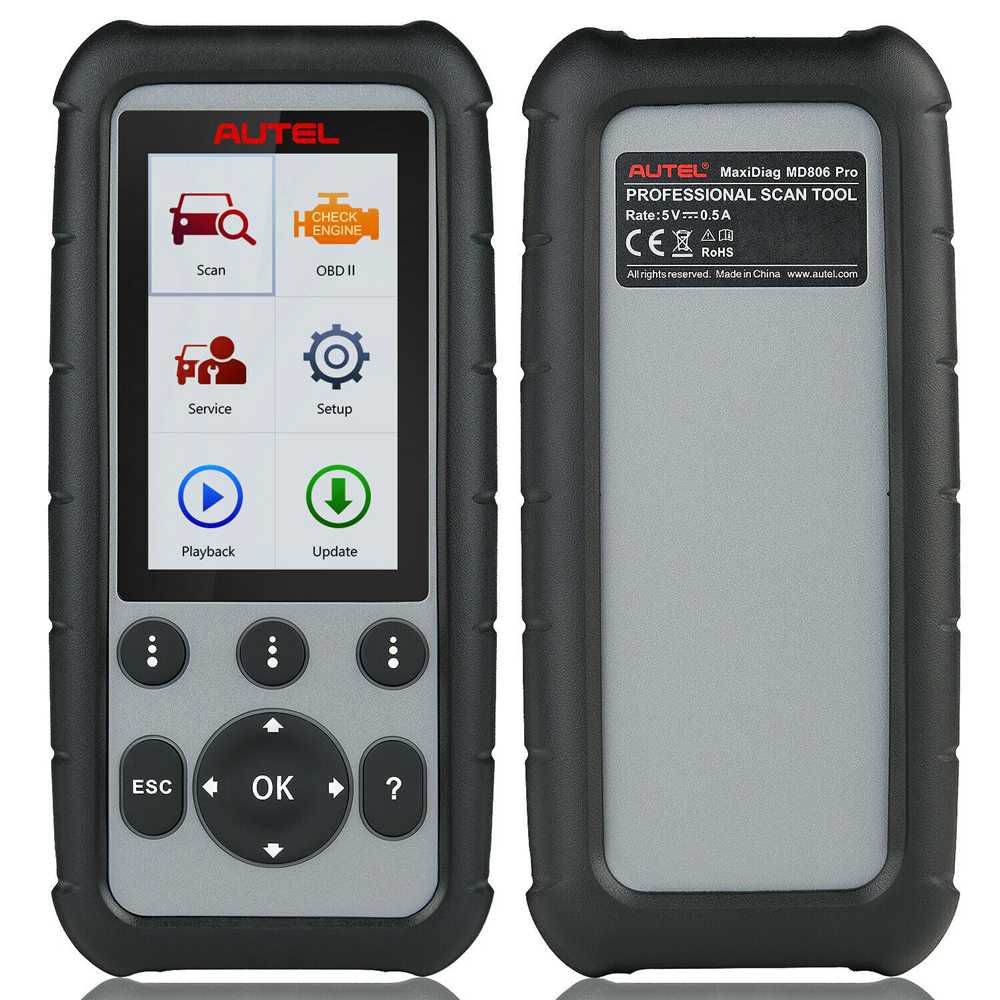
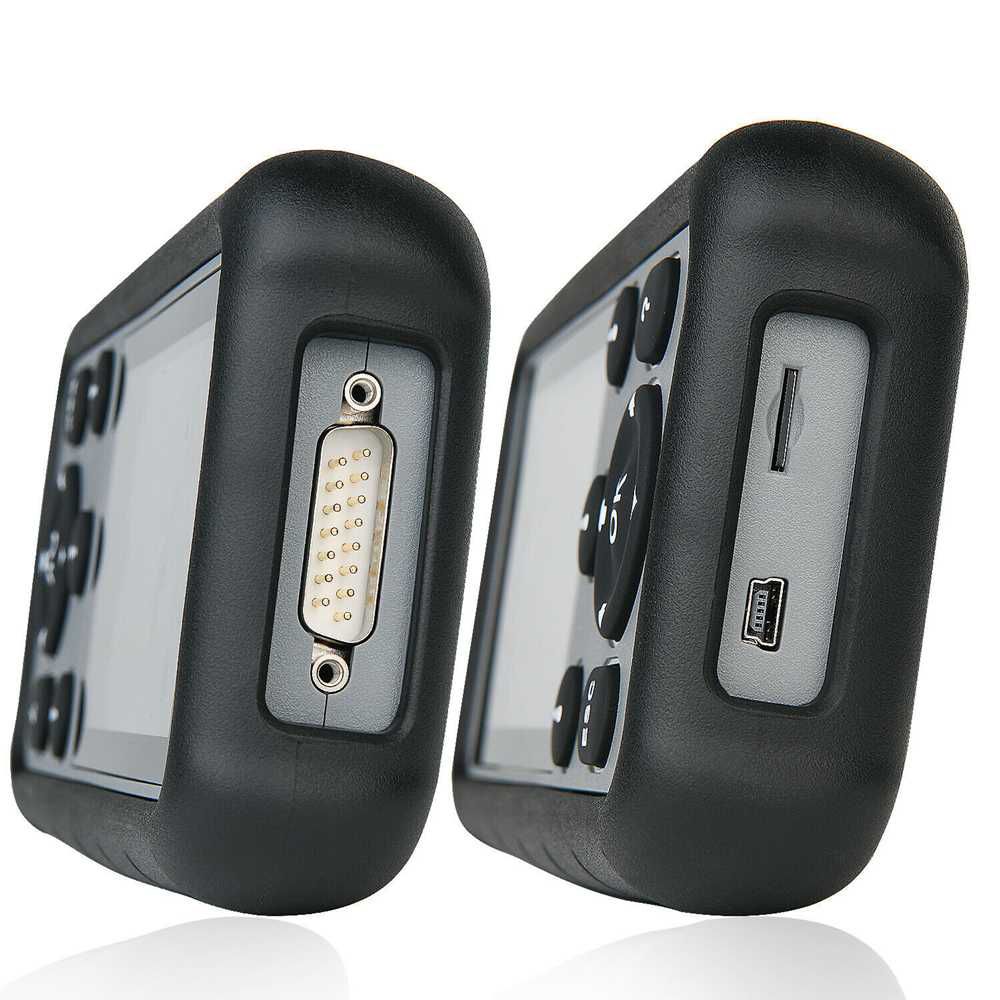
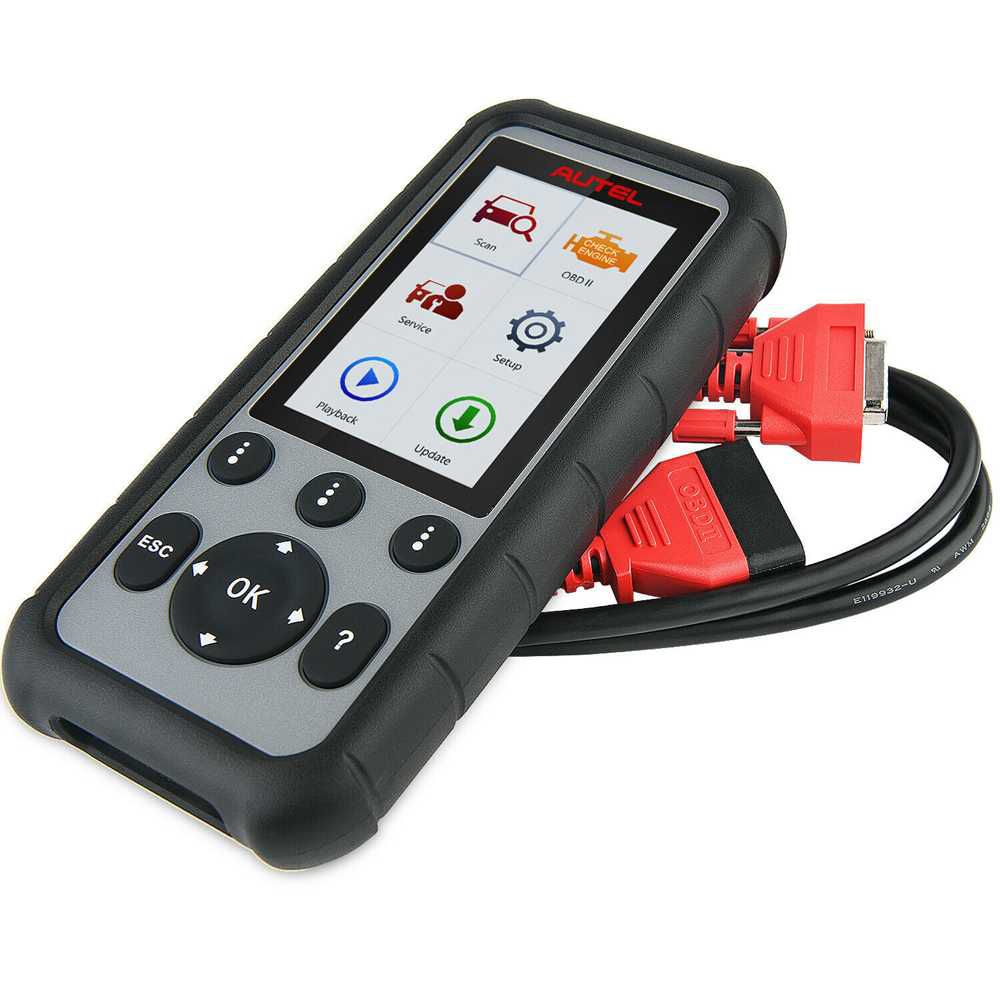
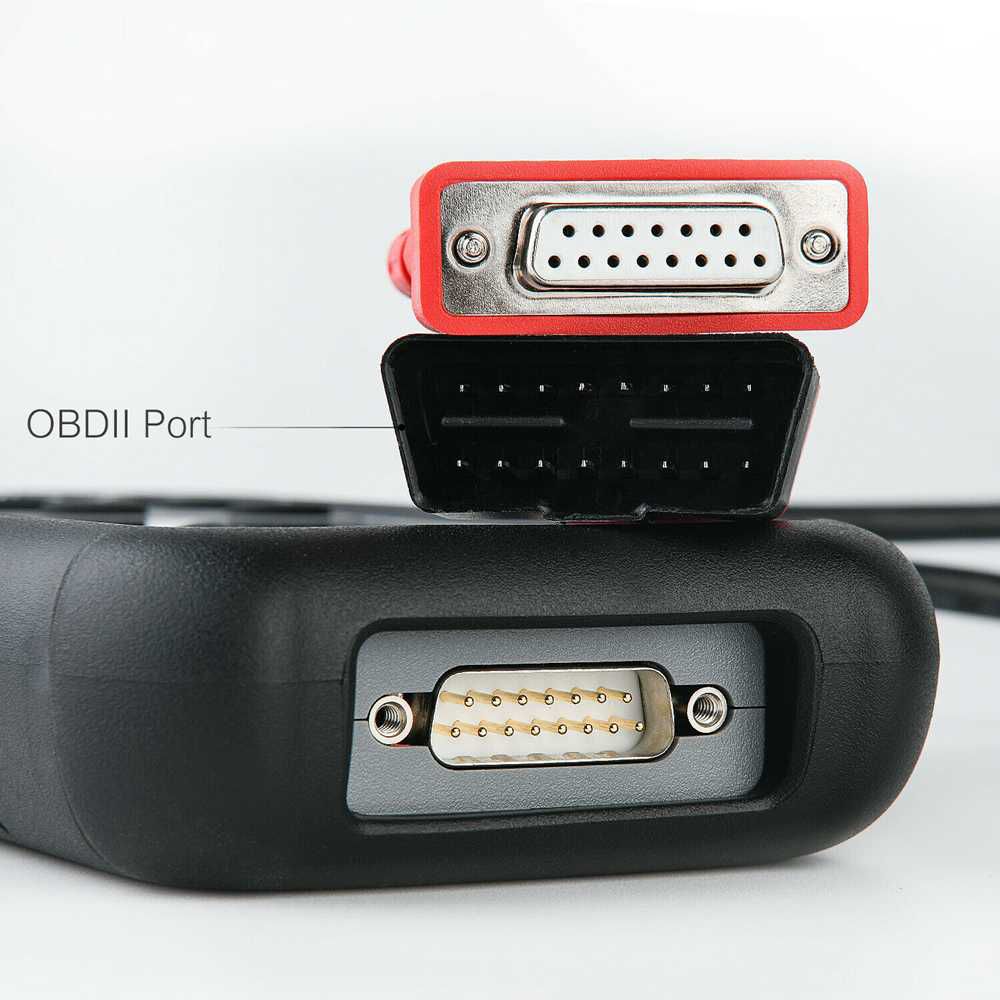
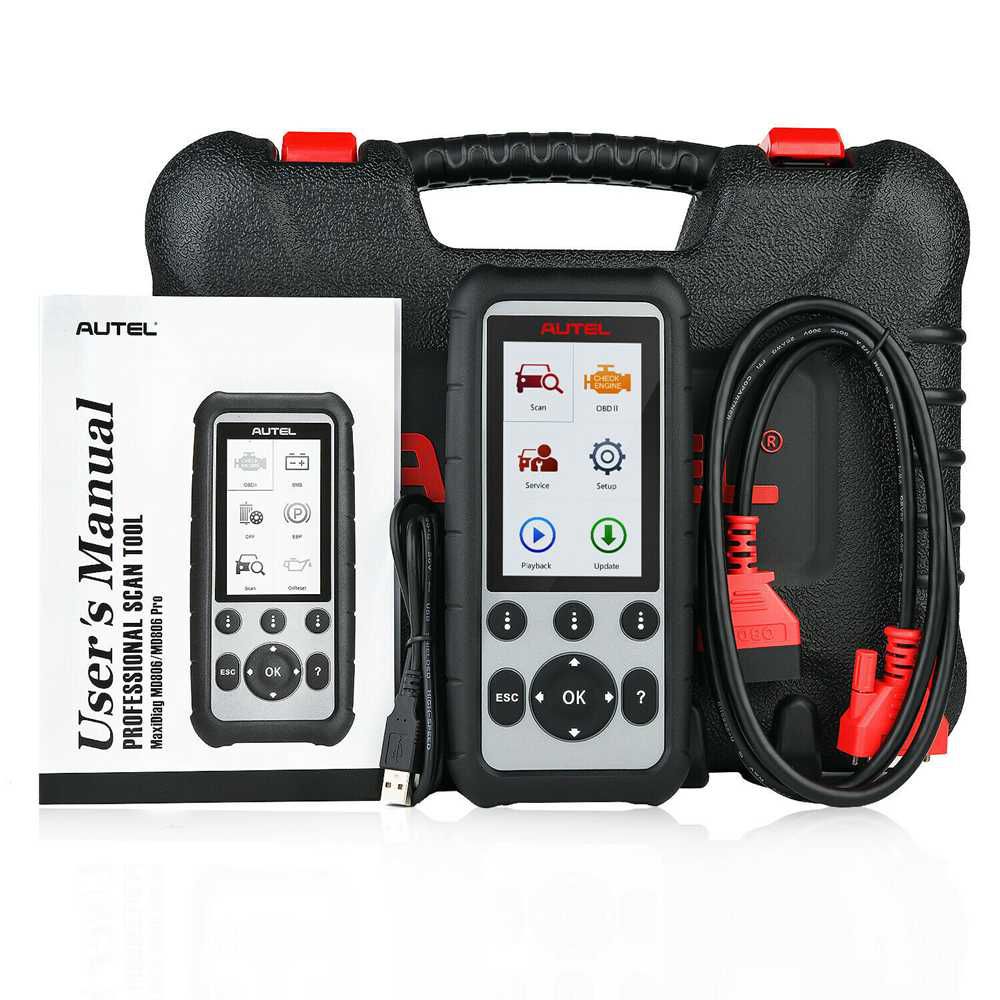
Original Autel MaxiDiag MD806 Pro Full System Diagnostic Tool (Same as Autel MD808 Pro)
Key Highlights
- Supports full system diagnostics
- Print diagnostic reports via PC connection
- Lifetime free online updates on Autel official website
- Multi-language support: English, Traditional Chinese, French, German, Spanish, Portuguese, Dutch, Polish, Swedish, Korean, Japanese, Russian, Italian, Greek, Simplified Chinese
Description
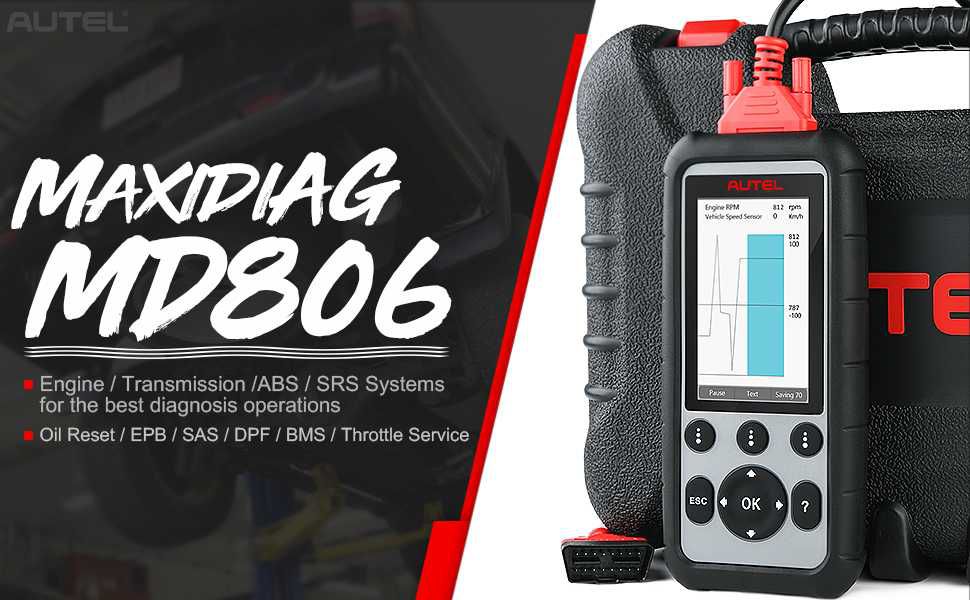
The Autel MaxiDiag MD806 Pro scanner coMBines the capabilities of the Autel MaxiCheck Pro and the Autel MaxiDiag Elite MD802. This diagnostic tool is ideal for car repair shop owners, professional mechanics, and DIY enthusiasts. While not a high-level scanner, it also exceeds entry-level functionality. The Autel MD806 Pro is a full-system diagnostic scanner that quickly establishes a direct data link to the vehicle’s electronic control units (ECUs).
The all-new MaxiDiag MD806 elevates your diagnostic experience with advanced service functions including oil service reset, battery registration and reset, parking brake pad relearn after replacement, steering angle sensor relearn, and diesel particulate filter regeneration. It provides access to Engine, Transmission, ABS, and Airbag (SRS) systems for comprehensive diagnostics—all packed into a compact 4-inch handheld device.
Features
- Read/Clear codes and view live data for all vehicle systems
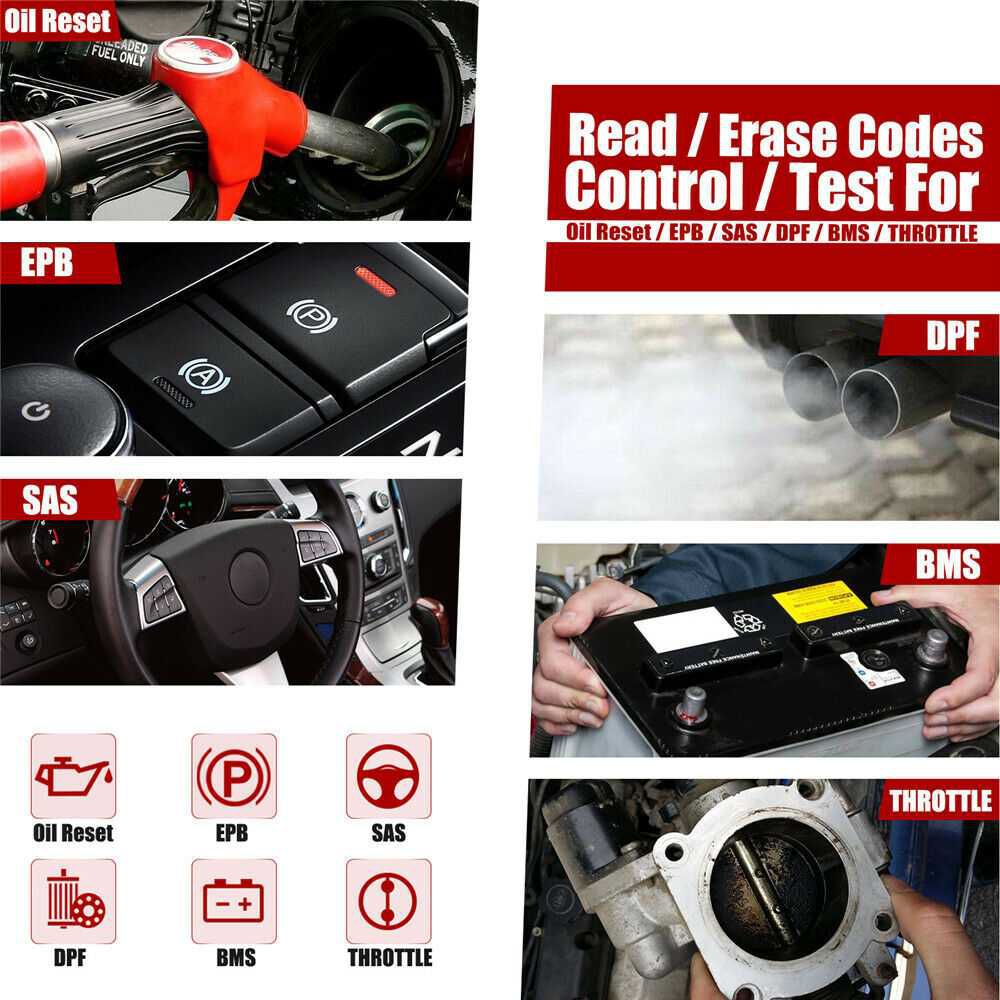
- Read and clear Trouble Codes; control and test BMS, Oil Reset, SRS, EPB, and DPF systems
- Oil service reset support
- Battery registration and reset support
- Diesel particulate filter service, including forced regeneration
- Steering angle sensor (SAS) reset functionality
- Parking brake pad relearn after replacement
- Reset service mileage and service intervals
- Turn off ECU brake warning light
- Perform O2 monitor, on-board monitor, I/M readiness, and component testing
- Print diagnostic reports via PC connection
- Global OBD II coverage for U.S. domestic, Asian, and European makes and models
- Supports all OBD II protocols, all 10 test modes, and enhanced OBD II Mode 6
Functions
1. Autel MD806 Pro All-System Diagnostics
Guides you directly to the fix and eliminates guesswork. The MD806 Pro enables you to:
- Retrieve ECU information from tested control units, including unit type, version nuMBers, and other specifications;
- Read and erase diagnostic Trouble Codes (DTCs) to locate problem areas and clear codes easily;
- View live data for each parameter item;
- Access all vehicle systems and subsystems—including Engine, Automatic Transmission, Suspension, Audio, IMMO Immobilizer, Air Conditioning, Auto Headlamp, ACC, Car Radio Audio, and Car Door Windows—to perform comprehensive ECU scanning, identify faulty systems, and retrieve related DTCs.
2. Special Functions: Read and Clear Trouble Codes
- OLS: Oil service reset
- BMS: Battery registration and reset
- DPF: Diesel particulate filter service, including forced regeneration
- SAS: Steering angle sensor reset functionality
- EPB: Parking brake pad relearn after replacement
- Odometer: Reset service mileage and service intervals (Throttle)
3. Full OBD2 Functionality
- Read and clear diagnostic trouble codes and turn off the Check Engine Light;
- Check I/M readiness status for state emissions compliance;
- View graphical live data from the vehicle’s computer module(s) for easy analysis;
- Review vehicle operating parameters at the moment a DTC is detected;
- Display the latest O2 sensor test results graphically for troubleshooting;
- Access results of on-board diagnostic monitoring tests for specific components/systems;
- Perform component tests, including initiating an EVAP system leak test;
- Retrieve complete vehicle information including VIN, CINs, and CVNs.
MaxiDiag MD806 Pro Service Functions
The MaxiDiag MD806 Pro supports ABS, SRS (Airbag), Engine, Transmission, Oil Reset, EPB, DPF, SAS, BMS, Throttle, and A/F adjustment functions for most modern vehicles. Access these special functions by selecting “Service” from the Main Menu.
1. Oil Reset
The Engine Oil Life System calculates when to change the engine oil and filter based on vehicle usage. An oil change is required when indicated by the display or per the recommended maintenance schedule. After every oil change—even if performed before the service indicator activates—reset the system so it can accurately calculate the next oil change interval.
2. EPB (Electric Parking Brake)
This function supports safe and effective maintenance of electronic braking systems. Important guidelines include:
- Ensure full familiarity with the braking system and its operation before starting any work.
- Deactivate the EPB control system via the tool menu before performing brake maintenance or diagnostics.
- Only conduct maintenance when the vehicle is stationary and on level ground.
- Reactivate the EPB control system after completing maintenance.
3. SAS (Steering Angle Sensor)
Steering Angle Sensor Calibration permanently stores the current steering wheel position as the straight-ahead position in the sensor’s EEPROM. Before calibration, the front wheels and steering wheel must be precisely aligned to the straight-ahead position. The vehicle identification nuMBer (VIN) is also read from the instrument cluster and stored in the sensor’s EEPROM. Upon successful calibration, the sensor’s fault memory is automatically cleared.
4. DPF (Diesel Particulate Filter)
The DPF function enables multiple operations on the Diesel Particulate Filter system without requiring a visit to a main dealer. The tool supports DPF regeneration, DPF component replacement teach-in, and DPF teach-in after replacing the engine control unit.
5. BMS (Battery Management System)
The BMS function allows the scan tool to evaluate battery charge state, monitor closed-circuit current, register battery replacement, activate the vehicle’s rest state, and charge the battery via the diagnostic socket.
MaxiDiag MD806 Pro All-System Diagnostic Capabilities
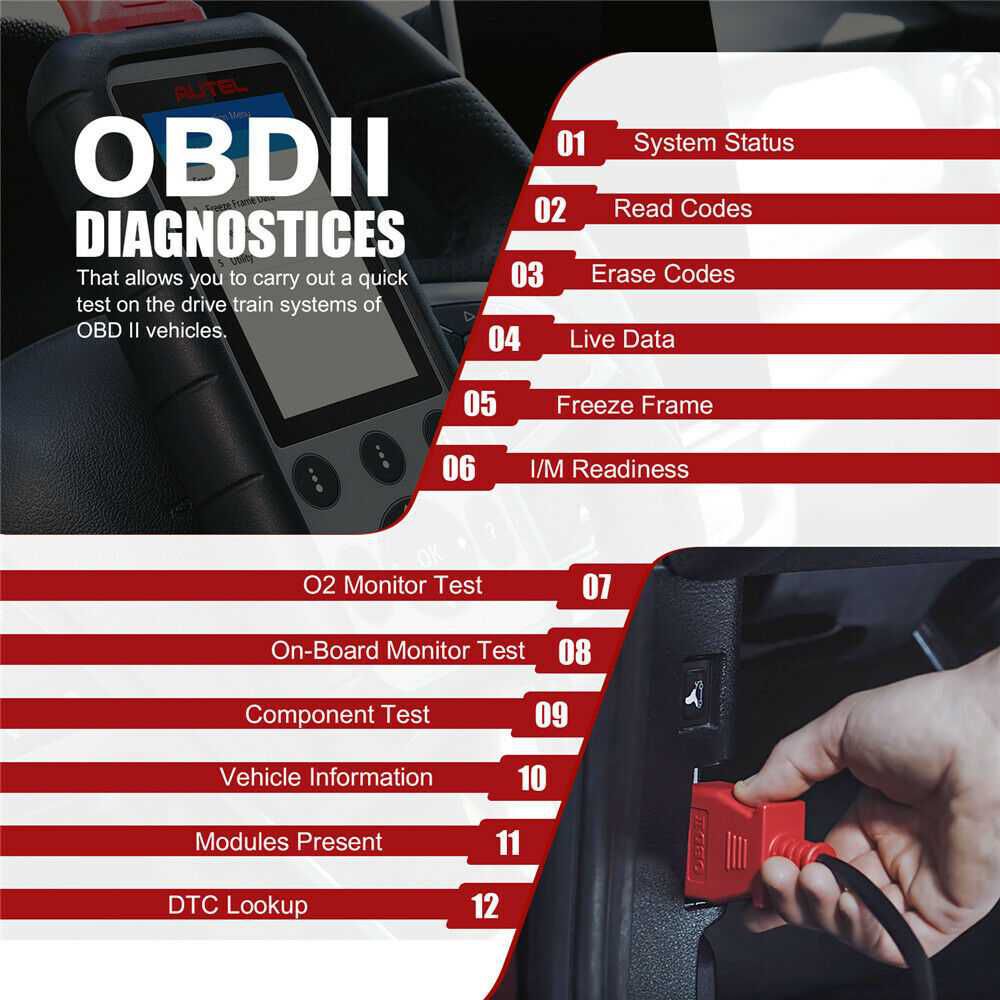
1. OBD II Diagnostics
This fast-access feature enables quick testing of drive train systems on OBD II-compliant vehicles. When multiple vehicle control modules are detected, you’ll be prompted to select the relevant module—typically the Powertrain Control Module (PCM) or Transmission Control Module (TCM).
System Status
This function displays the test vehicle’s system status:
- OK: The monitor has completed its diagnostic testing.
- INC: The monitor has not completed its diagnostic testing.
- N/A: The monitor is not supported on this vehicle.
2. Read Codes
Codes can be read with the key on and engine off (KOEO) or key on and engine running (KOER). This function provides detailed diagnostic trouble code information to help technicians resolve issues effectively.
3. Erase Codes
Performed with the key on and engine off (KOEO), this function deletes diagnostic trouble codes once the underlying fault has been repaired.
4. Record Data
The Record Data function allows recording vehicle modules’ Parameter Identification (PID) data to help diagnose intermittent vehicle problems. You can save data files to the Micro SD card and then use the Playback function to view the saved files.
5. Freeze Frame
Freeze Frame Data allows the technician to view the vehicle’s operating parameters at the moment a DTC (Diagnostic Trouble Code) is detected. For example, the parameters may include engine speed (RPM), engine coolant temperature (ECT), or vehicle speed sensor (VSS), among others. This information aids the technician by enabling duplication of these parameters for diagnostic and repair purposes.
6. I/M Readiness
The I/M Readiness function checks the operation of the Emission System on OBD II compliant vehicles. It is an excellent feature to use before having a vehicle inspected for compliance with a state emission program.
7. O2 Monitor Test
OBD II regulations set by SAE require relevant vehicle monitors and tests on the oxygen (O2) sensors to identify problems related to fuel efficiency and vehicle emissions. These tests are not on-demand; they run automatically when engine operating conditions fall within specified limits. The test results are stored in the vehicle’s on-board computer memory.
8. On-Board Monitor Test
The On-Board Monitor Test is useful after servicing or after erasing a vehicle’s control module memory. For non-CAN-equipped vehicles, this test retrieves and displays results for emission-related powertrain components and systems that are not continuously monitored. For CAN-equipped vehicles, it retrieves and displays results for both continuously and non-continuously monitored emission-related powertrain components and systems. Test and component IDs are determined by the vehicle manufacturer.
9. Component Test
The Component Test function initiates a leak test for the vehicle's EVAP system. The scan tool does not perform the leak test itself but commands the vehicle's on-board computer to start the test. Different vehicle manufacturers may use different criteria and methods to stop the test once initiated. Always refer to the vehicle service manual for instructions on how to stop the test before starting the Component Test.
10. Vehicle Information
The Vehicle Info function retrieves Vehicle Identification Number (VIN), Calibration ID Numbers (CINs), Calibration Verification Numbers (CVNs), and In-use Performance Tracking data from 2000 and newer vehicles that support Mode 9.
11. Modules Present
The Modules Present function displays module IDs and communication protocols for OBD II modules in the vehicle.
12. DTC Lookup
The DTC Lookup function enables users to search for definitions of Diagnostic Trouble Codes (DTCs) stored in the built-in DTC library.
Autel MD806 Pro Wide Vehicle Coverage
MD806 Pro supports global OBD II coverage for U.S. domestic, Asian, and European makes and models. It includes support for all OBD II protocols, all 10 test modes, and enhanced OBD II Mode 6.
1. Autel MD806 PRO Oil Reset Service Coverage
- Asian: Acura, Honda, Hyundai, Infiniti, Isuzu, Kia, Lexus, Maruti Suzuki, Mazda, Mitsubishi, Nissan, Scion, Subaru, Suzuki, Toyota; AU Holden
- European: Audi, Abarth, Alfa, BMW, Bentley, Benz, Bugatti, Citroen, Dacia, Fiat, Jaguar, Lancia, LandRover, MINI, Maybach, Opel, Peugeot, Porsche, Renault, Saab, Seat, Skoda, Smart, Sprinter, Vauxhall, Volkswagen, Volvo
- USA: Chrysler, Ford
2. Autel MD806 PRO EPB Service Coverage
- Asian: Acura, Honda, Hyundai, Infiniti, Kia, Lexus, Nissan, Scion, Toyota
- European: Audi, BMW, Bentley, Benz, Bugatti, Citroen, EU Ford, Jaguar, LandRover, MINI, Maybach, Opel, Peugeot, Porsche, Renault, Seat, Skoda, Vauxhall, Volkswagen, Volvo
- USA: Chrysler, Ford
3. Autel MD806 PRO SAS Service Coverage
- Asian: Acura, Honda, Hyundai, Infiniti, Kia, Lexus, Maruti Suzuki, Mitsubishi, Nissan, Scion, Subaru, Suzuki, Toyota, AU Holden
- European: Audi, Abarth, Alfa, BMW, Bentley, Benz, Bugatti, Citroen, Dacia, EU Ford, Fiat, Jaguar, Lancia, LandRover, MINI, Maybach, Opel, Peugeot, Renault, Seat, Skoda, Vauxhall, Volkswagen, Volvo
- USA: Chrysler, Ford, GM
4. Autel MD806 PRO DPF Service Coverage
- Asian: Acura, Honda, Hyundai, Infiniti, Kia, Lexus, Mazda, Mitsubishi, Nissan, Scion, Suzuki, Toyota
- European: Audi, Abarth, Alfa, BMW, Bentley, Benz, Bugatti, Citroen, EU Ford, Fiat, Jaguar, Lancia, LandRover, MINI, Opel, Peugeot, Renault, Seat, Skoda, Sprinter, Vauxhall, Volkswagen, Volvo
- USA: Chrysler, Ford, GM
5. Autel MD806 PRO BMS Service Coverage
- Asian: Infiniti, Lexus, Mitsubishi, Nissan, Scion, Suzuki, Toyota
- European: Audi, BMW, Bentley, Bugatti, Citroen, Jaguar, LandRover, MINI, Peugeot, Porsche, Seat, Skoda, Volkswagen, Volvo
- USA: Ford
6. Autel MD806 PRO Throttle Service Coverage
- Asian: Acura, Daewoo, HONDA, Hyundai, Infiniti, Kia, Lexus, Maruti Suzuki, Mazda, Mitsubishi, Nissan, Scion, Suzuki, Toyota, AU Holden
- European: Audi, Abarth, Alfa, Bentley, Bugatti, Citroen, Dacia, Fiat, FordEU, Jaguar, Lancia, LandRover, Opel, Peugeot, Porsche, Renault, Saab, Seat, Skoda, Vauxhall, Volkswagen
- USA: Chrysler, Dodge, Ford, GM, Jeep
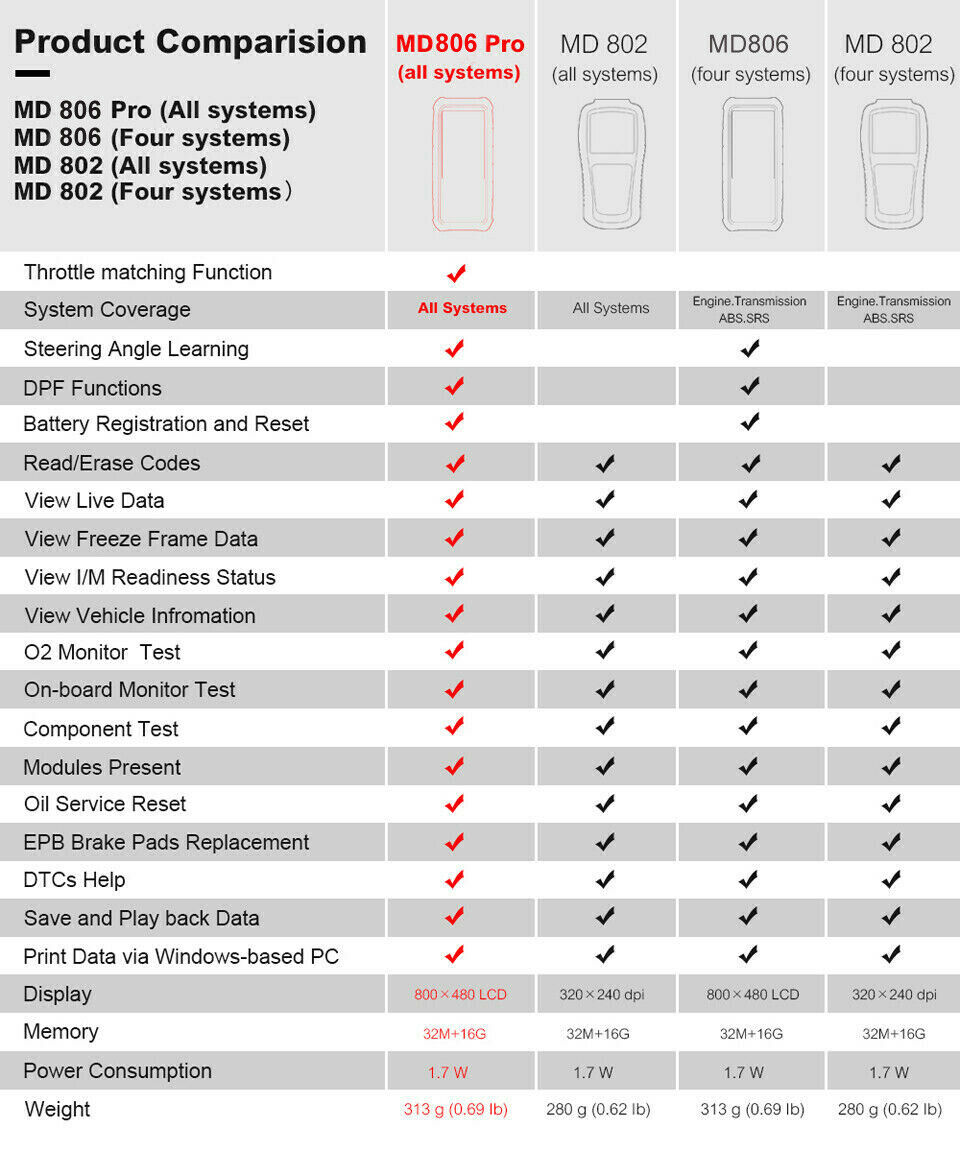
**Comparison of MD806 Pro Full System VS MD802
Autel MD806 Pro Specification
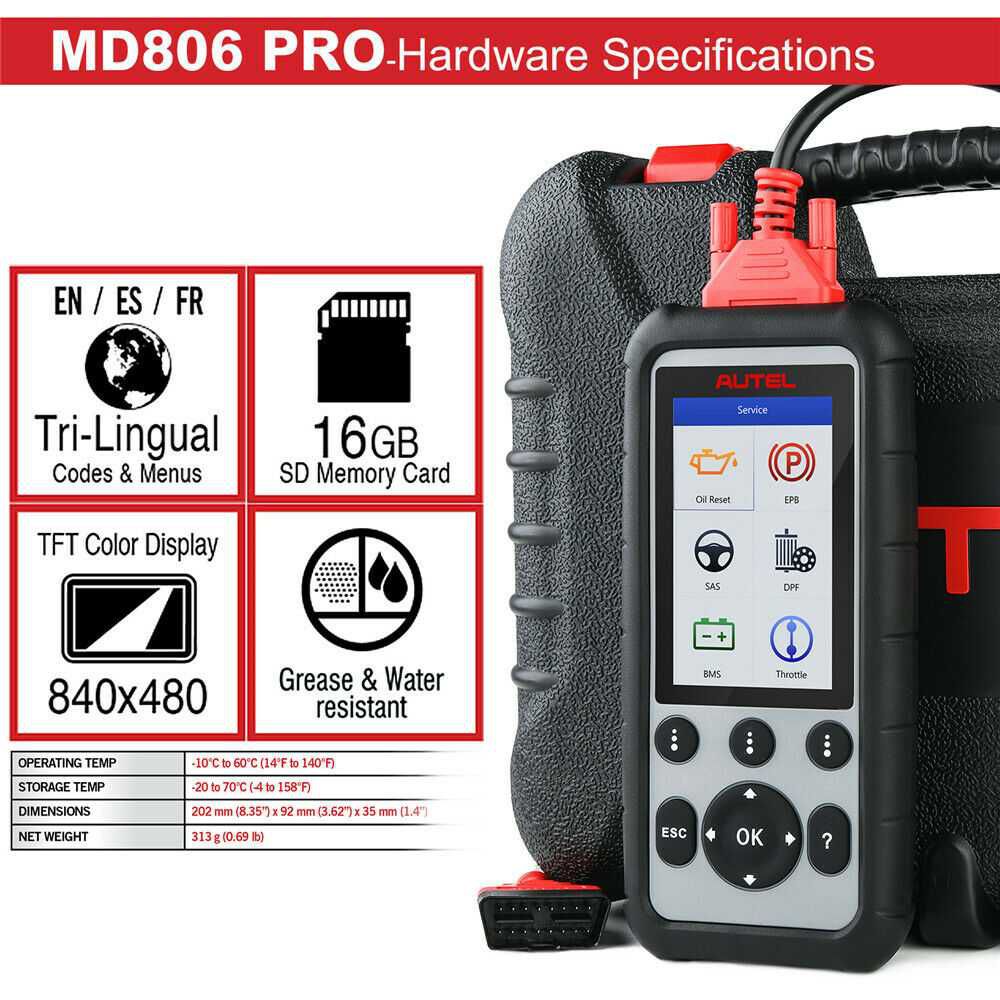
- Processor: Thumb Processor running at up to 400 MHz
- Memory: 32MB, 166 MHz
- Display: 4.0 inch LCD with 800 x 480 resolution
- Connectivity: Mini USB 2.0; Micro SD Card (16GB)
- Power Consumption: 1.7 W
- Operating Temperature: -10°C to 60°C (14°F to 140°F)
- Storage Temperature: -20°C to 70°C (-4°F to 158°F)
- Operating Humidity: 5% – 95% non-condensing
- Housing: Strong plastic housing with protective rubber boot
Autel MD806 Pro Package List
- 1x MD806 Pro Main Unit
- 1x User Manual
- 1x OBD II Cable
- 1x USB Cable
- 1x Micro SD Card
- 1x Quick Guide
- 1x Carry Case