 USD
USD Euro
Euro British Pound
 Australian Dollar
- Home
-
Categories
- Car Diagnostic Tools
- Original Brand Tools
- Car Key Programmers
- OBD2 Code Scanners
- Truck Heavy Duty Scanners
- ECU Chip Tuning Tools
- Odometer Correction Tools
- VAG Diagnostic Tool
- Original Launch X431 Tools
- Original Autel Tool
- Original Xhorse Tool
- Key Cutting & Locksmith Tools
- Airbag/Service Reset Tools
- OBD2 Cables and Connectors
- AUGOCOM Camshaft Engine Timing Tool
- Other OBDII Vehicle Tools
- Car Key Blanks
- Car Key Chips
- Car Diagnostic Software
- Automotive Electrical Testers & Test Leads
- Auto HID Xenon Light and LED Light
- Automotive Electronics
- Repair & Maintenance Tools
- MB Star Diagnostic Tools
- Health Care
- Special Deals
- Consumer Electronics
- Home & Garden
- Outdoor
- Expired Tools
- Top Selling
- New Arrivals
- for MB
- for Porsche
- Xhorse
- for TOYOTA
- for FORD
- Order Tracking
- Drop-ship
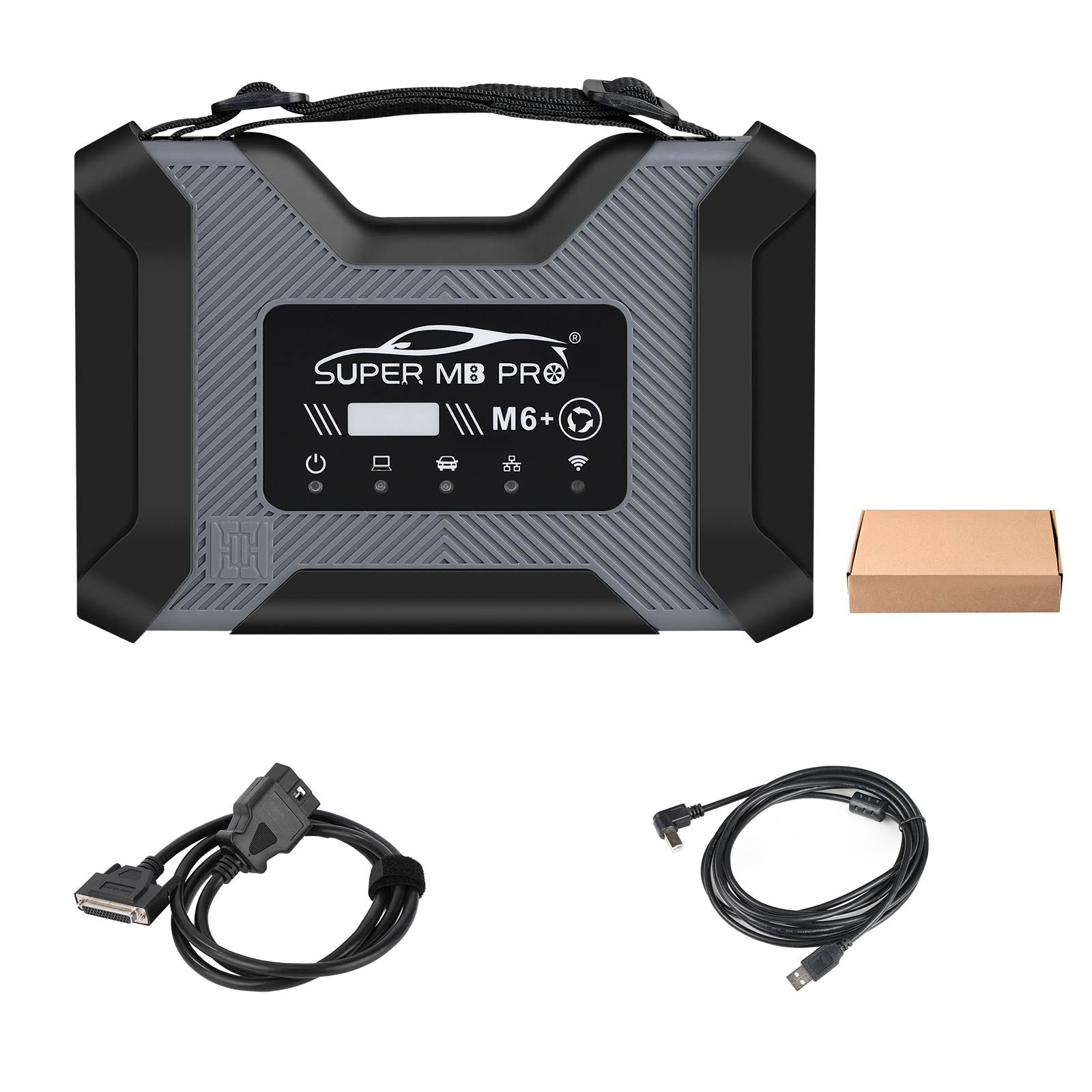
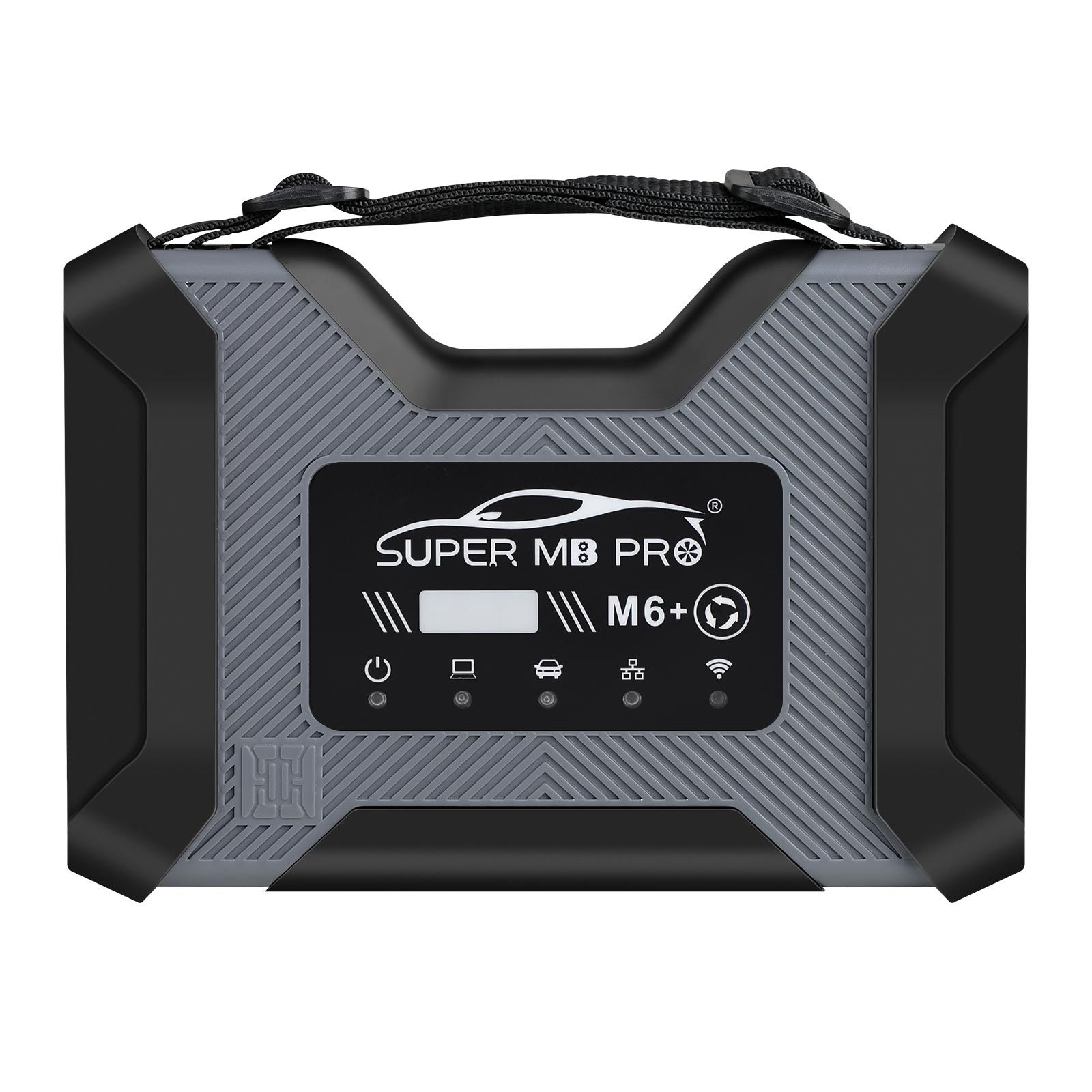
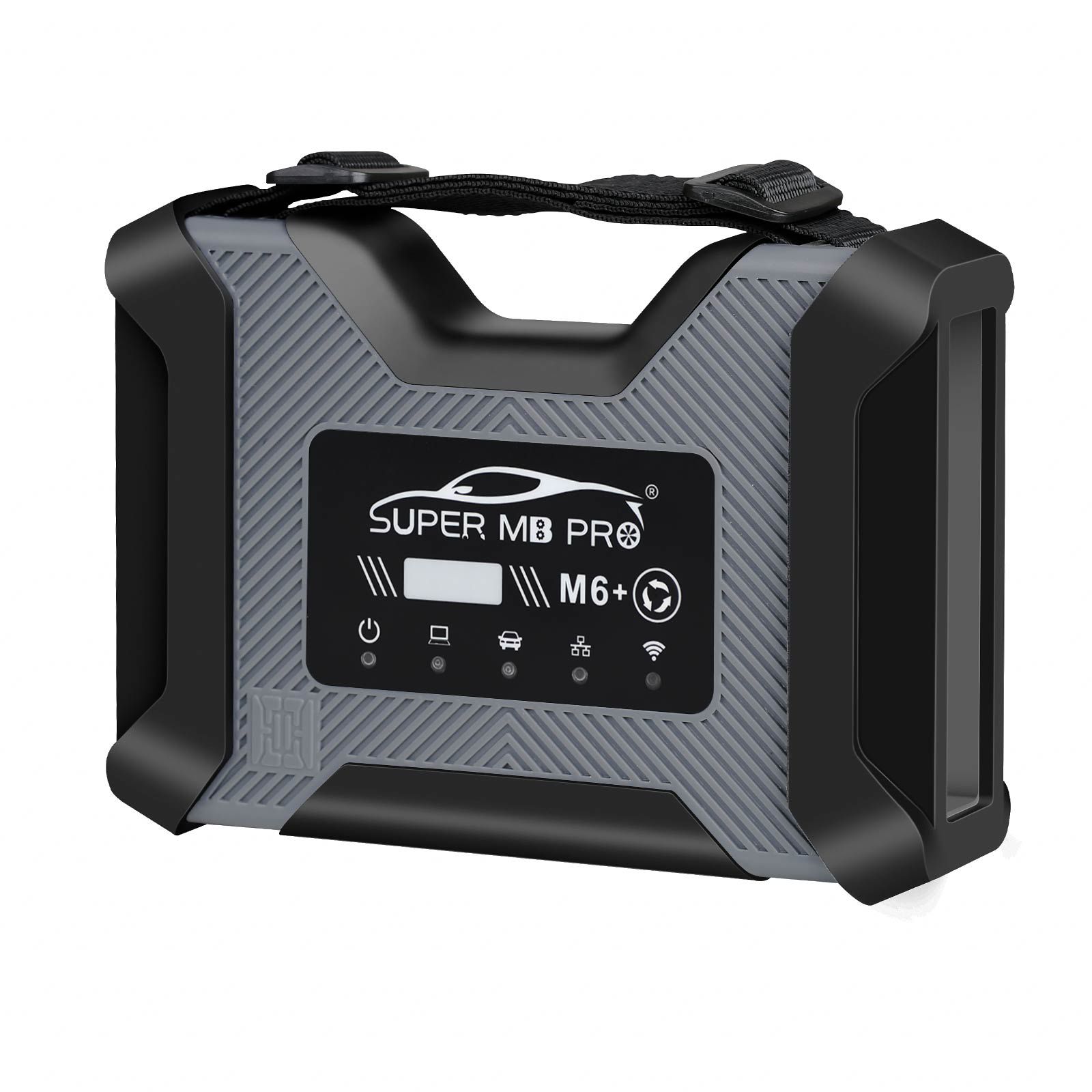
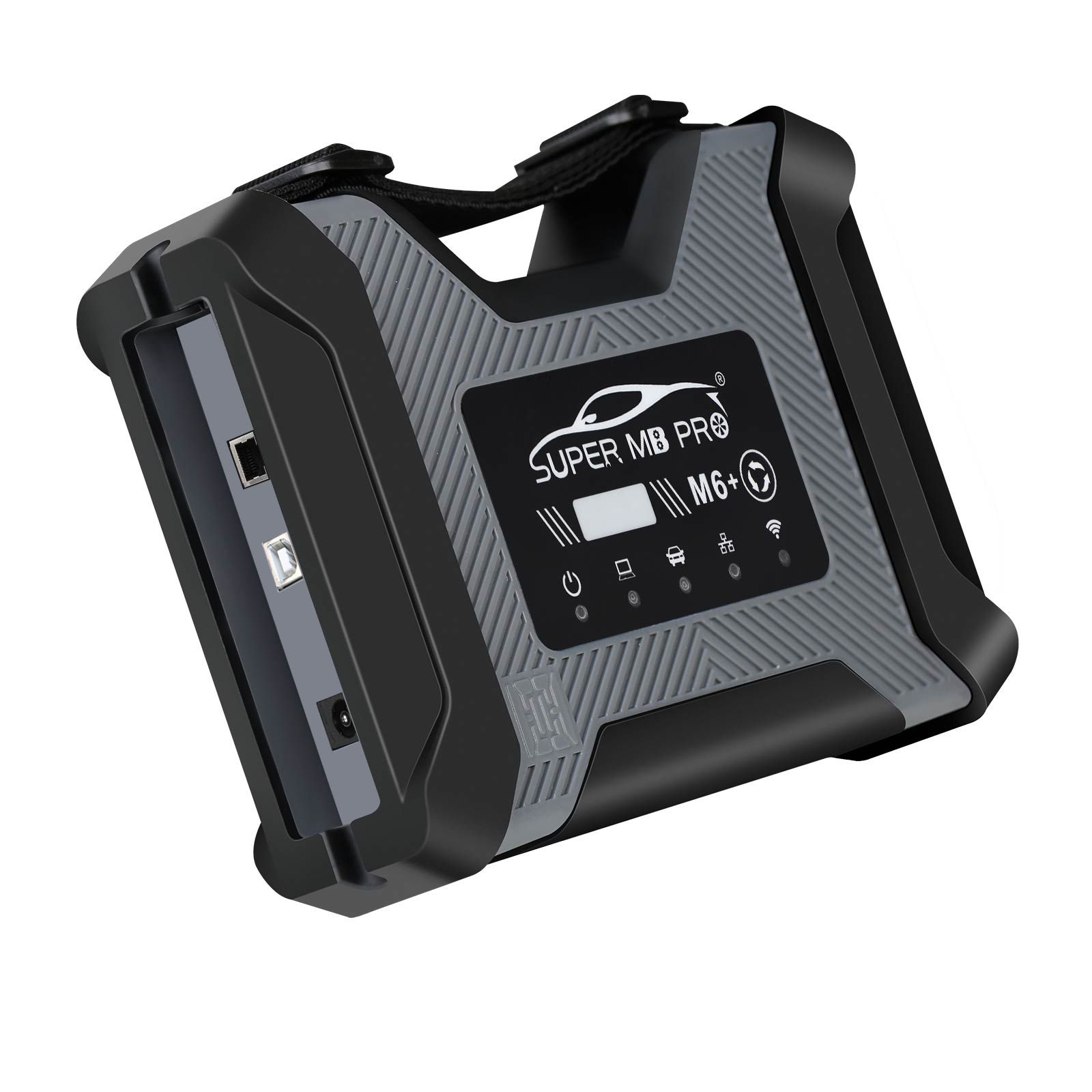
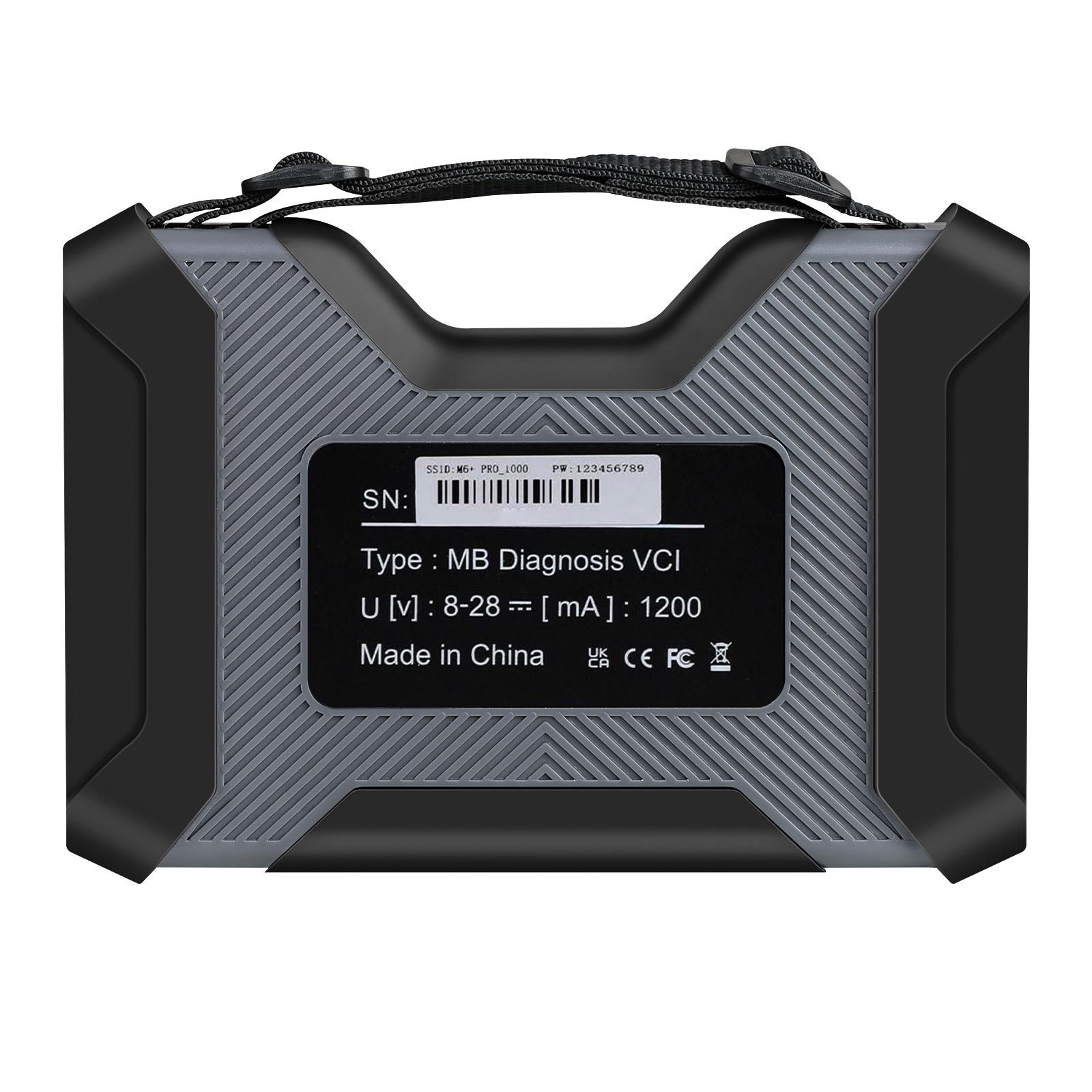
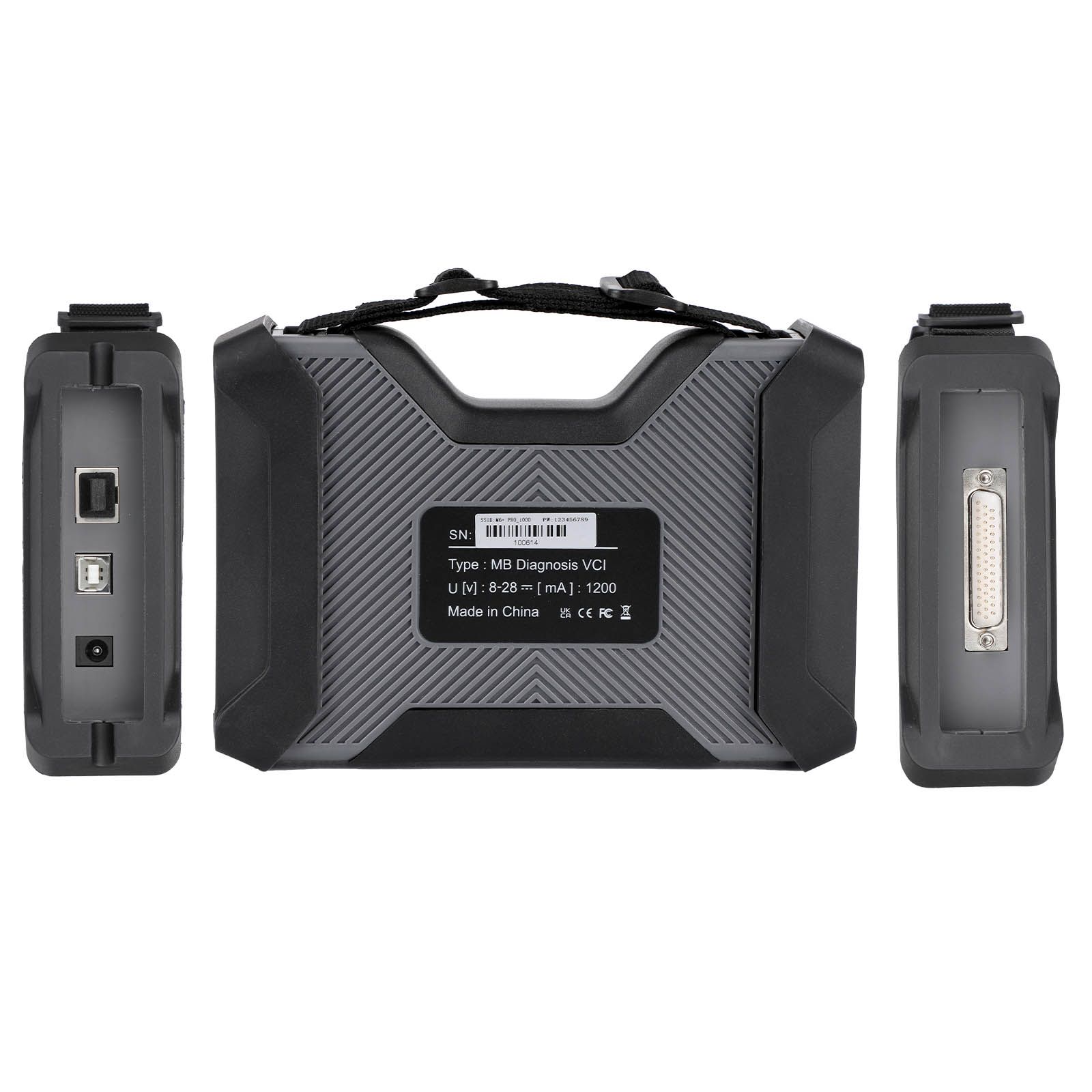
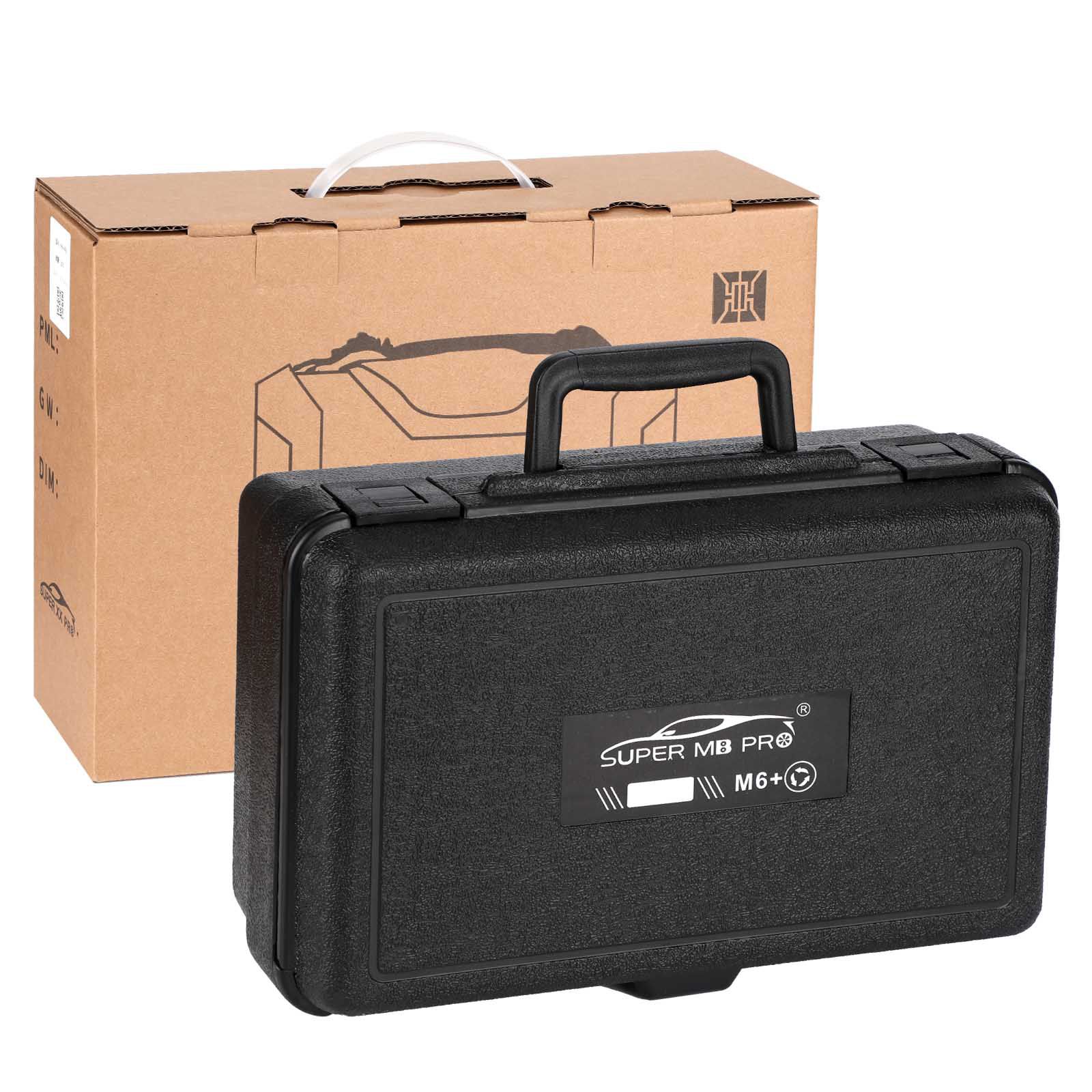
2025 Super MB Pro M6+ PRO OBD Standard Version for BENZ DOIP Wireless Diagnosis Tool with OBD2 16pin Cable + USB Cable
Based on Super MB PRO M6+, Super MB PRO M6+ Pro has greatly improved product functions and compatibility. It has added real-time display of vehicle voltage and is 100% compatible with the original Mercedes-Benz software.
Item No. COBD212827 Price Down Notice
In Stock
- Price:
- US$511.86/ piece
- Discount Price:
- US$426.55/ piece 17%
- Quantity:
-


- Shipping:
- Airmail Post
Estimated delivery time: 7-45 working days.See details» - Returns:
- Return for refund within 7 days,buyer pays return shipping.Read details »
- Support:
-
 Online Chat
  WhatsApp
  Skype
Skype  Ask a question


US$459.00 / piece
US$79.00 / piece
US$199.00 / piece
US$599.00 / piece
US$1,198.50 / piece
US$599.00 / piece
US$43.90 / piece
US$379.05 / piece
US$119.00 / piece
US$159.00 / piece
US$109.00 / piece
US$89.00 / piece
US$9.99 / piece
US$289.00 / piece
US$229.00 / piece
US$199.00 / piece
- Product Details
- Product's Reviews
- Write a Review
- Related Products
SUPER MB PRO M6+ PRO OBD Standard Version for BENZ DOIP Wireless Diagnosis Tool with OBD2 16pin Cable + USB Cable
Based on Super MB PRO M6+, Super MB PRO M6+ Pro has greatly improved product functions and compatibility. It has added real-time display of vehicle voltage and is 100% compatible with the original Mercedes-BENZ software.
Product Features
- 100% compatible with the original Mercedes-BENZ software.
- The front label of the M6+ Pro uses a design with trademark rights and art copyrights to improve product recognition. It has added a multi-function switch button to switch to BMW test with one click.
- The communication between the M6+ Pro and the computer is through a USB3.0 cable or an ethernet cable, which improves the compatibility of the required computers and tablets. (Compatible with both old and new computers and tablets—no need to choose older devices with network ports.)
- M6+ Pro supports remote C-side operation. The client does not need to install special diagnostic testing software. Just connect the M6+ Pro to a local computer that can access the Internet, and we can remotely provide customers with paid diagnosis and detection services of vehicle failure. Customers can also set up a local remote diagnostic test in the local area network. The above ways greatly improve the product flexibility.
- M6+ Pro supports BMW E-SYS, Aicoder, wired and wireless programming and coding of F and G series, and supports BMW modification and hidden functions activation.
- M6+ Pro supports BMW APP software, provides mobile phone English versions of Bimmercode (coding/hidden functions activation), Bimmerlink (diagnostics/codes clearing), and other mobile phone software. It also supports MHD, Bimmergeeks, XHP Flashtool, ODIS-e, XDelete, THOR-the M Flasher, PRO-Tool, and other mobile apps.
- M6+ Pro supports vehicles with DOIP communication protocol, such as the new Volkswagen, Audi, Skoda, Bentley, LaMBorghini, etc. A dedicated transition button is provided.
- Supports new models such as W223, C206, 213, and 167.
Product Functions
M6+ Pro, M6+ and M6 product function comparison chart
| Function | M6 | M6+ | M6+ Pro |
|---|---|---|---|
| XENTRY | √ | √ | √ |
| XENTRY Truck | √ | √ | √ |
| DTS | √ | √ | √ |
| VIDEO | √ | √ | √ |
| MB DOIP | √ | √ | √ |
| MB WIFI | √ | √ | √ |
| PC USB | × | √ | √ |
| PC RJ45 | √ | × | √ |
| Vehicle Voltage Real-time Display | × | × | √ |
| BMW Aicoder | × | √ | √ |
| BMW E-SYS | × | √ | √ |
| BMW APP | × | √ | √ |
| Other DOIP | × | √ | √ |
M6+ Pro Connection Instructions
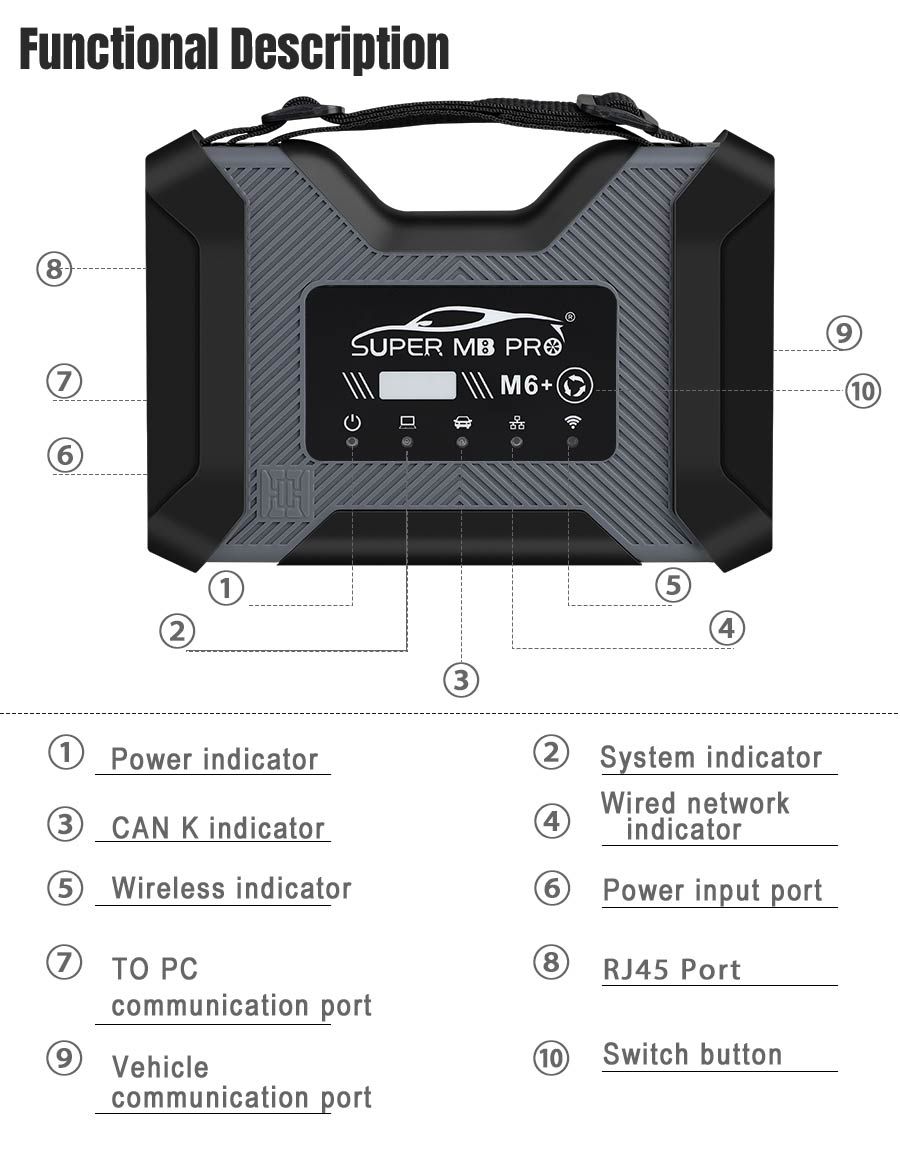
M6+ PRO Mercedes-Benz and BMW Configuration
- Plug the M6+PRO into the power supply or connect the OBD to the test vehicle, and plug in the USB/LAN cable of the M6+PRO.
- Turn on the computer and plug in the computer USB/LAN cable.
- Open the computer network configuration interface and find the Realtek USB FE Family Controller network / the network adapter that comes with the PC.

- Click “Properties” → TCP/IPv4, and set the IP address as shown in the figure below.
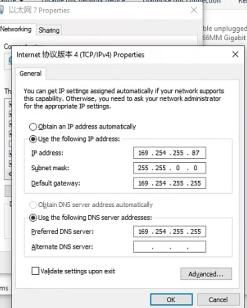
- Click “Advanced”, and add a group of network IP addresses as shown in the figure below.
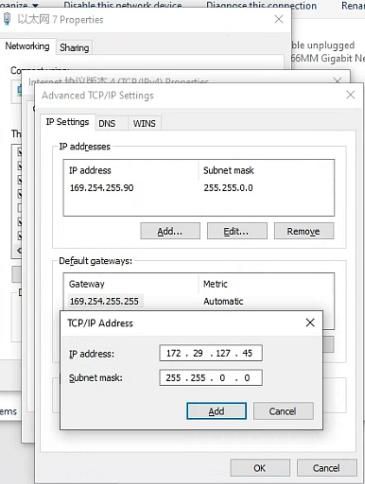
- Click “OK”. After the configuration is successful, the display is as follows.
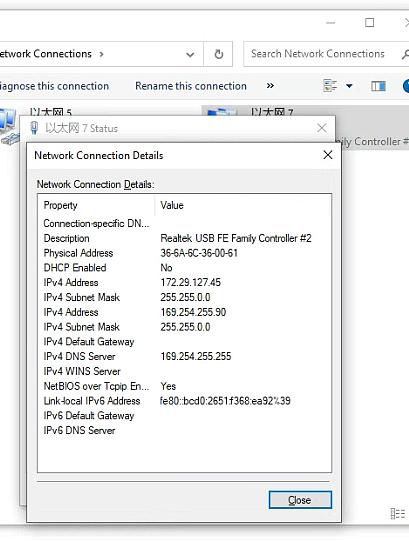
- For the same computer, if you replace a new M6+PRO, you need to reset the IP address. After the setting is completed, the computer is successfully bound to the M6+PRO and there is no need to set the IP address again for wired and wireless Internet access. (Use LAN port connection mode—no need to re-set IP when changing devices.)
- You can test Mercedes-Benz normally. Please connect the diagnostic cable with SUPER MB PRO logo.
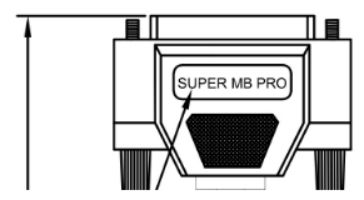
- BMW wireless BMWAiCode configuration (only for F+G chassis)
Connect to the M6+PRO -***, password: 123456789, wirelessly. Press and hold the M6+PRO switch button for 3 seconds, and the M6+PRO host wireless indicator will flash. The computer-side BMWAiCoder configuration is as follows: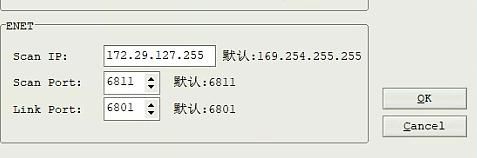
- BMW wired BMWAiCode configuration (only for F+G chassis)
Connect the USB/LAN cable, press and hold the M6+PRO switch button for 3s, and the M6+PRO host wired indicator light will flash. The computer-side BMWAiCoder configuration is as follows: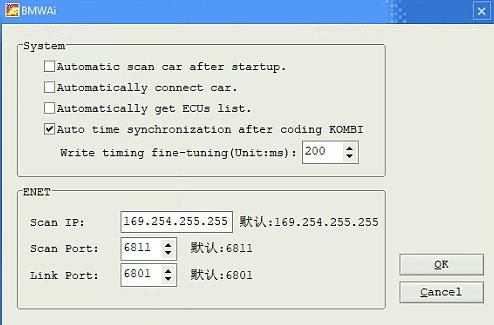
- BMW wired and wireless E-Sys configuration (only for F+G chassis)
Connect to the M6+PRO -*** wirelessly, press and hold the M6+PRO switch button for 3 seconds, and the M6+PRO host wireless indicator will flash. On the computer side, select the following for direct connection. Wired is similar—no setup required.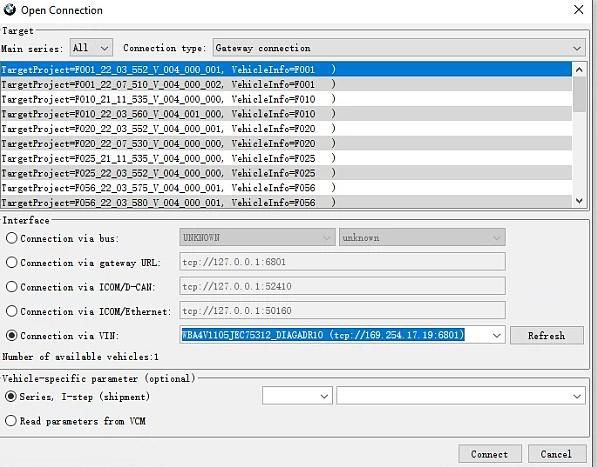
- BMW wired ISTA configuration (only for F+G chassis)
Connect the USB cable, press and hold the M6+PRO switch button for 3s, and the M6+PRO host wired indicator light will flash. The computer ISTA configuration is as follows: - BMW Wireless ISTA configuration (only for F+G chassis)
Connect to the M6+PRO -*** wirelessly, press and hold the M6+PRO switch button for 3 seconds, and the M6+PRO host wireless indicator will flash. The computer side is selected as follows: - The mobile phone BMW APP adopts wireless connection (only for F+G chassis).
Connect to the M6+PRO -***, password: 123456789. Press and hold the M6+PRO switch button for 3 seconds, and the M6+PRO host wireless indicator will flash. - Supported BMW models and years.
| Model / Year | 2019 | 2018 | 2017 | 2016 | 2015 | 2014 | 2013 | 2012 | 2011 | 2010 | 2009 |
|---|---|---|---|---|---|---|---|---|---|---|---|
| X1 | √ | √ | √ | √ | |||||||
| X3 | √ | √ | √ | √ | √ | √ | √ | × | |||
| X4 | √ | √ | √ | √ | √ | √ | |||||
| X5 | √ | √ | √ | √ | √ | √ | × | ||||
| X6 | √ | √ | √ | √ | √ | × | |||||
| 1 Series | √ | √ | √ | √ | √ | √ | √ | √ | × | ||
| 2 Series | √ | √ | √ | √ | √ | √ | √ | √ | |||
| 3 Series | √ | √ | √ | √ | √ | √ | √ | × | |||
| 4 Series | √ | √ | √ | √ | √ | √ | √ | ||||
| 5 Series | √ | √ | √ | √ | √ | √ | √ | √ | √ | √ | × |
| 6 Series | √ | √ | √ | √ | √ | √ | √ | √ | × | ||
| 7 Series | √ | √ | √ | √ | √ | √ | √ | √ | √ | √ | √ |
Product Accessories Comparison Chart
SUPER MB PRO M6+PRO FULL
- 1pc x SUPER MB PRO M6+ Pro Host
- 1pc x OBD2 16pin Cable
- 1pc x USB Cable
- 1pc x 38PIN Cable
- 1pc x 14PIN Cable
- 1pc x 4PIN Cable
SUPER MB PRO M6+PRO OBD
- 1pc x SUPER MB PRO M6+ Pro Host
- 1pc x OBD2 16pin Cable
- 1pc x USB cable
SUPER MB PRO M6+PRO Truck
- 1pc x SUPER MB PRO M6+ Pro Host
- 1pc x OBD2 16pin Cable
- 1pc x USB cable
- 1pc x 14PIN Cable
Package Includes
- 1pc x SUPER MB PRO M6+ Pro Host
- 1pc x OBD2 16pin Cable
- 1pc x USB Cable

More
More
More
More
More
More
- Related Items
- Recommond Tools
- Hot Sale
- On Sale
- New Arrivals
- Freeshipping Items
-
 US$999.00 / piece
 -
US$379.05 / piece
-
US$159.00 / piece
-
 US$550.05 / piece
 -
 US$179.00 / piece
 -
 US$299.00 / piece
-
 US$519.00 / piece
 -
 US$129.00 / piece
 -
 US$1,398.00 / piece
 -
 US$298.00 / piece
 -
 US$699.00 / piece
 -
 US$349.00 / piece
-
 US$99.99 / piece
 -
 US$469.00 / piece
 -
 US$149.00 / piece
 -
 US$69.99 / piece
 -
 US$790.00 / piece
 -
 US$1,559.00 / piece
-
 US$450.00 / piece
 -
 US$79.00 / piece
 -
US$289.00 / piece
-
US$199.00 / piece
-
US$43.90 / piece
-
 US$535.00 / piece
-
US$299.00 / piece
-
 US$589.00 / piece
 -
 US$256.92 / piece
 -
 US$1,690.00 / piece
 -
 US$39.99 / piece
 -
 US$464.00 / piece
-
 US$24.99 / piece
 -
 US$97.00 / piece
 -
 US$20.99 / piece
 -
 US$79.99 / piece
 -
 US$28.00 / piece
 -
 US$89.99 / piece
Trending Products
 US$409.00 / piece
 US$129.00 / piece
 US$79.00 / piece
 US$599.00 / piece
 US$245.00 / piece
- US$1,690.00 / piece